Testimonials

Services
DevOps Career Audit . 75mins

Why Recruiters Are Ignoring Your DevOps Resume

Live CV teardown to find why recruiters skip you
Oct
11
Sunday, 11th October 2026
16:00 - 17:15 GMT+05:30
₹99₹699
DevOps Career Audit
Video meeting . 60 mins

DevOps Mock Interview | 3 Rounds | Hands-on

Real Company Style Mock | Feedback + Growth Plan
₹3,999
Popular
Video meeting . 45 mins

DevOps Career Mentoring | Roadmap + Growth Guide

DevOps Career Guidance | Learn What, When & How
₹1,999

About me

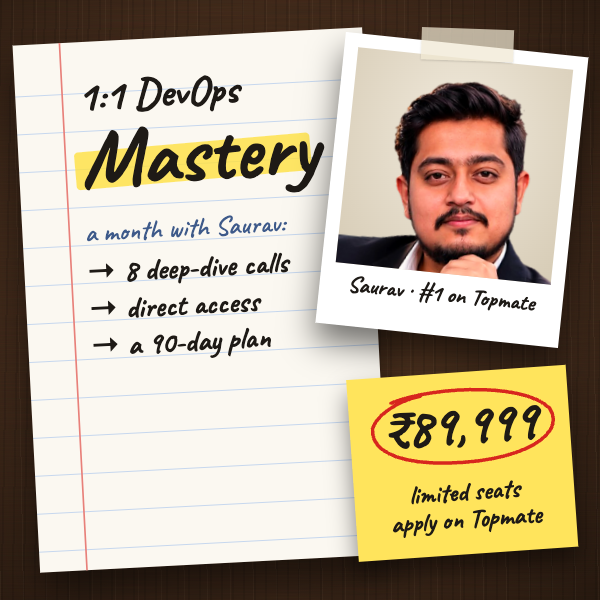
Most DevOps engineers don’t have a tool problem. They have an exposure problem. You can know K8, AWS, Terraform & CI/CD and still struggle with production, interviews, career growth, or knowing what to learn next in the AI era. That’s where I help. I’ve worked with 5000+ engineers on career direction, interview readiness, production engineering, and skill-gap identification. My focus is simple: 1. Find what’s holding you back 2. Identify what actually matters next 3. Build a practical roadmap to get there I work across DevOps, SRE, Cloud, Platform Engineering, MLOps, AIOps & GPU Infrastructure. No generic roadmaps. No learning 20 tools for the sake of it. Just clarity, real-world engineering & your next move. If you're serious about leveling up, pick the session that matches your biggest problem.

Frequently asked questions

How to troubleshoot Kubernetes pods that keep crashing?

Start with kubectl get pods -o wide to see the status, then run kubectl describe pod <pod-name> and read the Events section at the bottom — that is where most answers are. Use kubectl logs <pod-name> --previous to see why the last container exited. The usual culprits are CrashLoopBackOff (app error or bad config), ImagePullBackOff (wrong image tag or registry auth), OOMKilled (memory limits too low) and failing liveness probes. Fix the limits, correct the config, verify the probes and re-check. This describe → logs → events loop is the core of how to troubleshoot Kubernetes pods in any environment.

How to troubleshoot a Kubernetes cluster when nodes or networking seem broken?

Widen the lens: run kubectl get nodes to check readiness — if a node is NotReady, SSH in and check journalctl -u kubelet, disk pressure and the container runtime. Then verify the kube-system pods: CoreDNS, CNI plugins and kube-proxy, because DNS and CNI failures look exactly like application bugs. Use kubectl get events --sort-by=.lastTimestamp across namespaces to spot cluster-wide patterns. Always debug in order — app → pod → node → control plane. Following that sequence is precisely how to troubleshoot a Kubernetes cluster during a real incident instead of guessing.

Which Kubernetes troubleshooting scenarios should I practice before a DevOps interview?

The Kubernetes troubleshooting scenarios that come up most are: a pod stuck in Pending (taints, resource requests, scheduling), CrashLoopBackOff, ImagePullBackOff, OOMKilled, a Service that is unreachable despite running pods (selector or endpoints mismatch), DNS not resolving inside the cluster, a node going NotReady under disk pressure, and a rolling update stuck mid-rollout. Set up a deliberately broken cluster and fix each one yourself — interviewers hand you a live terminal, and reading solutions without typing them does not build the reflex.

Which Kubernetes troubleshooting commands do interviewers expect me to know?

The Kubernetes troubleshooting commands that matter most are kubectl get pods -o wide, kubectl describe pod, kubectl logs --previous, kubectl exec -it, kubectl top pod/node, kubectl get events, kubectl rollout status/history/undo and kubectl port-forward. On the node side, know crictl ps, journalctl -u kubelet and basic disk and memory checks. Interviewers care less about memorisation and more about whether you know which command answers which question — that decision-making is what actually gets scored.

What Kubernetes troubleshooting interview questions do companies actually ask?

Most Kubernetes troubleshooting interview questions are scenario-based: "A pod is CrashLooping — walk me through your debugging," "Why is this pod stuck in Pending?", "The Service is unreachable but pods are running — what do you check?", "DNS inside the cluster is failing — what next?" and "A node went NotReady in production — what do you do?". Many also ask the open-ended one: "Describe your troubleshooting methodology." They are testing whether you debug systematically under pressure, so practise answering out loud while executing commands, not just reciting theory.

What DevOps mock interview questions should I expect in a hands-on session?

DevOps mock interview questions typically follow the real company format: a quick project deep-dive, rapid-fire questions on Linux, networking, Git, Docker, Kubernetes, CI/CD, one cloud provider and Terraform, then a live debugging scenario such as "your deployment is failing in staging — fix it". Strong mocks end with specific feedback on depth, communication and gaps. If your mock only covers definitions and involves no terminal work, it is not preparing you for a real DevOps panel.

Is a free DevOps mock interview enough, or should I pay for one?

A free DevOps mock interview is excellent for volume practice — peer mocks and community sessions help you lose the fear and speak fluently about your projects. The limitation is feedback quality: free mocks rarely come with a structured evaluation or a targeted improvement plan. The approach most successful candidates take is to do several free mocks early, then invest in one or two professional mocks with someone who has actually sat on hiring panels, ideally two to three weeks before real interviews so there is time to fix what gets found.

How does an online DevOps mock interview actually work?

An online DevOps mock interview usually runs over a video call with screen sharing: the interviewer shares scenarios, and you either talk through your approach or debug a pre-broken cluster live. A serious mock mirrors real hiring — a scenario round, a debugging round and a short architecture discussion, followed by honest feedback on where you lost points. The online format works in your favour because actual DevOps interviews are conducted remotely anyway, with the same terminal-based evaluation.

Is an AI DevOps mock interview as effective as practising with a real engineer?

An AI DevOps mock interview is genuinely useful for repetition — it is available anytime, drills the common questions and helps you structure your answers. Where it falls short: it cannot truly grade your live debugging, apply real hiring pressure or ask unpredictable follow-up questions the way an experienced interviewer does. The combination that works best is AI for daily question practice, and a human mock with a senior engineer for final-mile realism — pressure, interruptions and feedback from someone who evaluates candidates for a living.

What DevOps job interview questions should I prepare for?

DevOps job interview questions generally fall into these buckets: Linux and networking fundamentals, Git and scripting, Docker internals, Kubernetes architecture and debugging, CI/CD pipeline design, one cloud in depth (AWS is the most common ask in India), Terraform and IaC concepts, monitoring with Prometheus and Grafana, and scenario questions like "production is down at 2 AM — what do you do?". Prepare a strong story around your own projects too, because interviewers go deep on whatever you claim to have built. Do not ignore the non-technical side either — resume screening and HR negotiation decide outcomes more than most candidates expect.

What is a realistic roadmap to become a DevOps engineer?

A practical roadmap to become a DevOps engineer: Linux and networking basics → Git → Bash or Python scripting → one cloud (AWS dominates Indian job listings) → Docker → Kubernetes → CI/CD with Jenkins or GitHub Actions → Terraform → monitoring with Prometheus and Grafana, then build two or three end-to-end projects where you deploy a real application through a full pipeline onto a cluster. Done with focus, this takes four to six months. The biggest mistake is collecting tools instead of building depth — employers hire for production exposure, not the length of your skills list.

What does the DevOps career path look like in India?

The DevOps career path in India typically starts as a junior or associate DevOps engineer (often moving in from support or sysadmin roles), then DevOps engineer, senior DevOps engineer, and onwards to SRE, platform engineering, cloud architecture or a DevOps lead role. Product companies, GCCs and well-funded startups in Bengaluru, Hyderabad, Pune and Gurugram drive most of the hiring. Progression is tied to production and incident experience rather than tool count, which is why engineers who can debug live systems move up — and across into SRE and platform roles — much faster.

Is DevOps in demand in India?

The short answer to "is DevOps in demand" is yes — but the demand has shifted. Cloud adoption, platform engineering and the new wave of MLOps, AIOps and GPU infrastructure roles keep openings strong across IT services, product companies and GCCs. What companies struggle to find is not certificate-holders but engineers with real production and incident-handling experience, which is exactly why the entry level feels crowded while mid-level hiring stays competitive. Build hands-on depth and the demand works strongly in your favour.

What DevOps certification roadmap should I follow, and do certifications actually help?

A sensible DevOps certification roadmap: start with one cloud certification (AWS Solutions Architect Associate is the most recognised in Indian hiring), then CKA (Certified Kubernetes Administrator), then HashiCorp Terraform Associate, with AWS DevOps Engineer Professional or CKS as later options. Certifications help you structure learning and clear HR filters, but they will not get you hired on their own — interviews and real jobs test what you can debug on a terminal. Take a certification only when it maps to the role you want next, and pair every certificate with hands-on projects.

Can an AI agent for Kubernetes troubleshooting replace learning to debug manually?

An AI agent for Kubernetes troubleshooting can summarise logs, suggest likely fixes and generate commands quickly, so it is a legitimately useful accelerator. But someone still has to verify the output — AI lacks full context of your cluster, can confidently mislead you during an incident, and interviews still put you in front of a live terminal with no assistance. The engineers who get the most out of AI tooling are the ones who already understand what is being fixed, so treat AI as an assistant while you build hands-on debugging skill, not as a replacement for it.