Services
Frequently asked questions
What is mixing and mastering in music production?
Mixing is the stage where all the individual tracks of a song — vocals, drums, bass, guitars, synths — are balanced and blended using levels, panning, EQ, and compression so every element sits well together. Mastering is the final polish: it brings the mixed song up to competitive loudness and makes it sound consistent across phones, earphones, cars, and streaming platforms. In short, mixing makes the song sound great as a whole, and mastering makes it ready for release.
How to learn mixing and mastering as a beginner?
Start with the core concepts — gain staging, EQ, compression, panning, and basic use of reverb and delay — and apply them to one mix at a time. Practise on raw stems, pick a reference song in the same genre, and honestly compare your mix against it. A structured resource such as a course or a well-organised e-book speeds things up far more than random tutorials, and finishing 15–20 full mixes will teach you more than months of only watching videos.
How to do mixing and mastering in FL Studio?
In FL Studio, arrange your song in the Playlist, open the Mixer (F9), and process each track: start with gain staging, use Fruity Parametric EQ 2 to cut unwanted frequencies, add compression where needed, and pan instruments to create space. Keep levels under control on the master channel and export a 24-bit WAV. For mastering, load that WAV into a fresh project (or chain plugins on the master) with gentle EQ, a limiter like Fruity Limiter or Maximus for loudness, and constant comparison against commercial tracks at the same volume.
What does a mixing and mastering engineer do?
A mixing and mastering engineer takes your raw recordings or rough demo and turns it into a release-ready track. The mixing side involves balancing levels, cleaning up frequencies, controlling dynamics, adding effects, and creating depth so every element is clearly heard. The mastering side finalises overall loudness, tonal balance, and consistency so the song holds up on every playback system and streaming platform. If your song sounds amateur even though the composition is strong, this is usually the gap a professional engineer fills.
Can AI mixing and mastering replace a human engineer?
AI mixing and mastering tools are genuinely useful for quick demos, rough drafts, and getting a song to decent loudness within minutes. However, they apply generalised processing and cannot understand artistic intent — like how loud a vocal should feel emotionally, or when a deliberately raw sound is the whole point. For casual releases, AI output may be enough, but for a song you want to compete professionally, an experienced human engineer still makes noticeably better contextual decisions. Many artists use AI for drafts and a human engineer for the final version.
Which is the best mixing and mastering book for beginners?
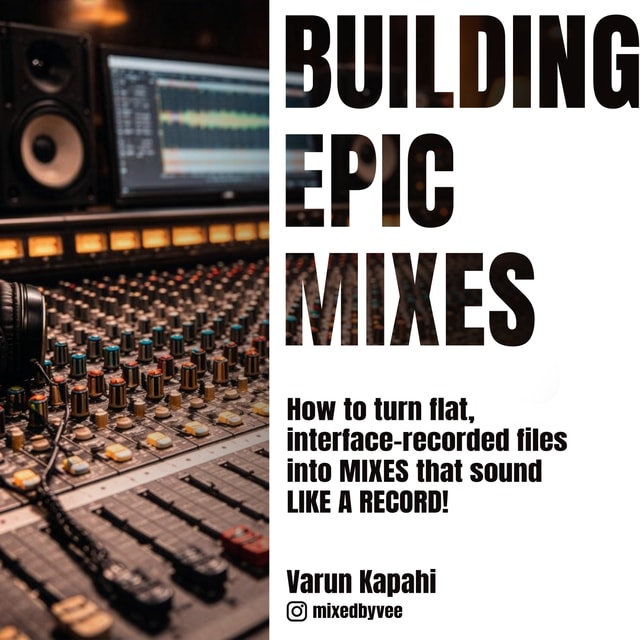
The best mixing and mastering book is one that explains concepts — EQ, compression, depth, gain staging — with real examples and before/after scenarios rather than just preset settings. If you prefer digital reading, a mixing and mastering book PDF or e-book works just as well as a printed one and is usually cheaper; for example, Building Epic Mixes by audio engineer Varun Kapahi is an e-book written specifically to help producers construct stronger, release-ready mixes. Whichever you choose, pick one that makes you practise on actual stems, not just read theory.
Is a mixing and mastering course worth it?
A mixing and mastering course is worth it if you need structure, accountability, and feedback on your actual mixes — things free tutorials rarely provide. That said, a full course is not the only path: many producers learn just as effectively through a well-structured e-book, practice stems, and honest comparison against reference tracks, at a fraction of the cost. If you are self-disciplined, start with a book or low-cost resource and only invest in a course if you find yourself stuck without direction.
How to start music production as a complete beginner?
Pick one DAW (the software you will produce in), learn its basic workflow over a few weeks, and finish a simple 2–3 minute track even if it is bad. Finishing songs teaches you arrangement, sound selection, and mixing basics faster than endlessly watching tutorials. From there, study one concept at a time, recreate songs you love to understand how they are built, and share your work online for feedback. Consistency over six months matters far more than expensive gear on day one.
How to learn music production for free?
Start with a free DAW like GarageBand (Mac) or Cakewalk (Windows), then follow structured YouTube series instead of random videos. Download free stems and project files to practise mixing, read free articles and forum threads on production concepts, and join online communities where you can get honest feedback. The only thing genuinely worth spending on early is a pair of decent headphones — the knowledge itself is freely available; what actually costs you is consistency.
Which music production software is best for beginners?
The most beginner-friendly music production software options are FL Studio, Ableton Live, Logic Pro, and Reaper. FL Studio is especially popular in India, offers lifetime free updates, and has an intuitive workflow for electronic and hip-hop production; Logic Pro is excellent if you are on a Mac; Ableton Live shines for electronic music and live performance; Reaper is powerful and very affordable. All of them offer free trials, so try two or three and pick the one whose workflow feels most natural — that is the "best" one for you.
What is a music production course and what does it cover?
A music production course is a structured programme that teaches you how to make music end to end — DAW workflow, music theory basics, beatmaking and arrangement, sound design, recording, and finally mixing and mastering. Formats range from weekend workshops to year-long diplomas, and music production courses online have become the most popular option in India because they are affordable, flexible, and let you learn from working professionals anywhere. Before enrolling, check that the syllabus includes hands-on projects and covers mixing and mastering, not just beatmaking.
What is music production and engineering?
Music production is the creative and organisational side of making a song — writing, arranging beats and melodies, sound selection, and guiding the overall vision of the track. Audio engineering is the technical craft around it: recording instruments and vocals cleanly, editing, and then mixing and mastering the material. The two overlap heavily in modern music — many producers engineer their own records and engineers often contribute creative ideas — which is why "music production and engineering" is usually spoken of together as the complete skill set for making a finished song.
How to set up a home studio for music production?
Start with the essentials: a computer or laptop, an audio interface, one good microphone, closed-back headphones, and a DAW — that is enough to record and mix complete songs. Choose the quietest room available, add basic acoustic treatment (thick curtains, a rug, a duvet behind the mic, panels at reflection points), and position your desk so you are not recording into a bare wall. In India, a functional beginner setup starts around ₹15,000–₹25,000, and you can add studio monitors and better treatment as you grow. Upgrade gear only when your skills outgrow it.
What is the best home studio setup under 10000 rupees?
With a budget of ₹10,000 you can build a surprisingly workable starter setup: a USB condenser microphone (₹4,000–₹6,000), closed-back headphones (₹2,000–₹3,000), and a free DAW like Cakewalk or GarageBand, leaving some room for a pop filter and mic stand. Skip audio interfaces and monitor speakers at this stage — a USB mic plugs straight into your laptop. Treat your recording corner with blankets or a duvet to reduce room echo, and upgrade to an interface with an XLR mic once you outgrow this setup.
How to set up a home studio for singing?
For recording vocals, prioritise the mic chain and the room sound over everything else: a condenser microphone, an audio interface with phantom power (or a good USB mic), a pop filter, closed-back headphones, and a quiet, treated corner to sing in. Vocal recordings expose room reflections more than anything else, so hang thick curtains or sing facing a wardrobe or duvet to kill echo. Set your input level so the loudest lines do not clip, record multiple takes, and comp the best parts together before mixing.