Testimonials
Services
Ask Me Anything (Priority DM)
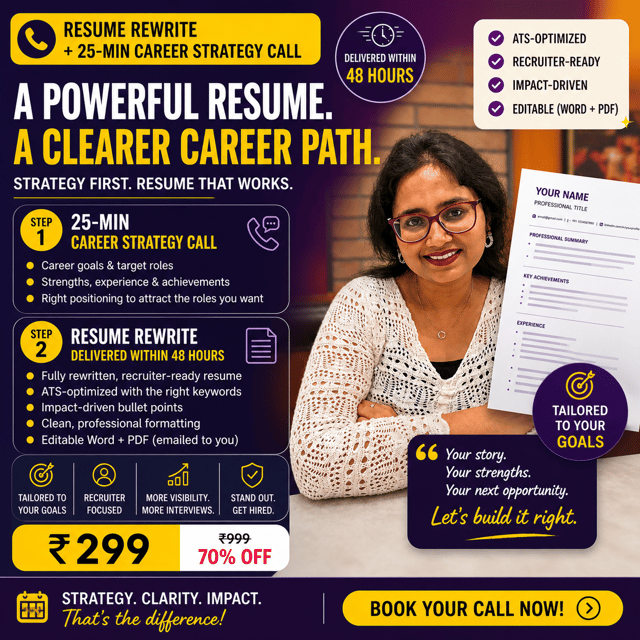
Resume Rewrite + 25-min Career Strategy Call
Career Consultation for Freshers (After College)
Job Hunt Starter Pack — Get Interview-Ready

Casual Call — Life, Career & Personal Growth
Resume Rewrite
1:1 Quick Call For Professionals (30 mins)
Career Kickstart for 12th Pass-Outs
About me
- Shruti Khandelwal is recognized for her friendly approach and valuable insights on personal growth and career development.
 AI-generated based on testimonials
Frequently asked questions
How to use AI tools as a complete beginner?
Start with one tool and one task instead of trying everything at once. Learning how to use AI tools is mostly about prompting well — state the role, the task and the format you want ("Act like a hiring manager and give feedback on this resume intro"). Begin with a general assistant like ChatGPT or Gemini for emails, summaries and doubt-solving, verify important outputs, and only then move to specialized tools for design, coding or presentations.
What is a good AI tools list for students and working professionals?
A practical AI tools list for daily productivity: ChatGPT or Gemini for writing, research and doubt-solving; Perplexity for research with sources; Notion AI for notes and planning; Gamma for presentations; Grammarly for polishing applications; Canva AI for resumes, posts and designs. Pick one or two tools per category — switching between too many tools usually wastes the time AI is supposed to save.
Which free AI tools are actually worth using?
Several free AI tools cover most everyday needs: ChatGPT (free tier) and Gemini for writing, explanations and interview practice; NotebookLM for summarizing PDFs and lecture notes; Grammarly's free version for grammar; Canva's free plan for resumes and posts; Perplexity for cited research. Start with the free versions, and pay for a tool only after it has become a daily habit and a paid feature solves a real bottleneck for you.
Are there good AI tools like ChatGPT?
Popular AI tools like ChatGPT include Google Gemini, Claude, Microsoft Copilot and Perplexity. Gemini and Copilot integrate smoothly with Gmail, Docs and Microsoft Office, Claude handles long documents and careful writing well, and Perplexity is strongest for research with cited sources. All of them offer free tiers, so run the same task through two or three and continue with whichever understands your instructions best.
Which AI tools for coding are useful for beginners?
The most useful AI tools for coding are GitHub Copilot for suggestions inside your editor, ChatGPT or Claude for explaining errors and generating starter code, and Replit AI for practicing in the browser without any setup. If you're learning frontend development, use them to understand code rather than copy it — ask the tool to explain each line, then rebuild the solution yourself. That builds speed without losing the fundamentals that interviews actually test.
How do AI tools work in simple terms?
Most AI tools work on large language models trained on enormous amounts of text. When you type a prompt, the model predicts the most helpful response based on patterns from that training — it doesn't look up your files or "know" facts like a database. That's why answers can sound confident yet still be wrong. Give clear context in every prompt, verify anything critical like data, dates or code, and treat the tool as a fast assistant that still needs your review.
What are AI tools in Hindi?
AI tools aise software ya apps hote hain jo artificial intelligence par kaam karte hain — inhe bahut saara data diya jata hai, jisse ye likhna, samajhna, translate karna, images banana ya code likhna khud seekh lete hain. Simple bhasha mein, ChatGPT, Gemini aur Canva AI jaise AI tools digital madadgar hain — aap instruction dete hain aur ye minutes mein kaam kar dete hain jismein pehle ghante lagte the. Students aur job seekers ke liye ye notes summarize karne, resume improve karne aur interview practice mein kaafi useful hain.
Which resume tips for freshers actually make a difference?
The resume tips for freshers that matter most: keep it to one page, put projects and internships above education, and write every point as an achievement with a number — "built a dashboard that cut reporting time by 30%" — instead of a duty. Use a clean single-column format, mirror keywords from each job description so ATS filters don't reject you, and proofread ruthlessly. If you're getting few interview calls, a second pair of eyes — a mentor or a professional resume review — usually spots the problem faster than another solo rewrite.
How are resume tips for experienced professionals different?
For experienced professionals, the balance shifts from potential to proof. Cut college-level detail and open with a summary of your domain, years of experience and biggest wins. Quantify impact — revenue owned, teams led, costs reduced — and show progression across roles. Keep detailed content to the last 10-12 years, remove outdated tech, and tailor the top third of the resume to each role, because that's where recruiters' attention goes first. Responsibilities listed without outcomes are the most common reason experienced resumes get skipped.
Which resume tips for 2026 should job seekers know?
The resume tips for 2026 that matter: clean, single-column formatting that ATS can parse (avoid graphics-heavy designs and text boxes), measurable outcomes in every bullet, and clear evidence that you can work with AI tools rather than being replaced by them. Keep your dates, titles and skills consistent across your resume and LinkedIn, since mismatches raise red flags. And customize the top third for every application — a generic resume is filtered out faster than ever now.
What is a resume template and should you use one?
A resume template is a pre-designed layout with fixed sections — header, summary, skills, experience, education — where you only fill in your own details. It saves formatting time and gives your resume a clean structure, but heavily designed templates with graphics, tables and columns often break ATS parsing. So pick a simple single-column template in Word or Google Docs, reorder sections to highlight your strengths, and rewrite the content for every job instead of pasting the same text.
How to make a resume template in Word?
Open Word, go to File > New and search "resume" to start from a built-in template, or create your own: set margins to 0.5-0.75 inch, use one readable font like Calibri at size 10.5-12, and add clear headings — Summary, Skills, Experience, Education. Keep a single-column layout so applicant tracking systems can read it, bold your job titles and companies, and use bullets for achievements. Always save and send as PDF unless the employer specifically asks for a Word file, so your formatting doesn't break.
How to improve your LinkedIn profile so recruiters actually find you?
If recruiters aren't finding you, here's how to improve your LinkedIn profile in five steps: write a headline that states your role and key skills instead of just a job title; add a professional photo; create a first-person About section that says what you do and who you help; add skills matching the jobs you want, since recruiter search runs on keywords; and turn on Open to Work if you're actively applying. Then comment or post once or twice a week — active profiles surface more in recruiter searches.
What LinkedIn profile tips for software engineers actually work?
The LinkedIn profile tips for software engineers that work best: make your headline specific — "Frontend Developer | React, TypeScript" gets found more than just "Software Engineer"; pin your top two or three projects with live links, since deployed apps beat coursework; fill your Skills section with the technologies your target roles actually search for; and write a short About section showing what you build. Posting occasionally about a bug you fixed or a concept you learned adds the genuine-interest signal hiring managers look for.