Testimonials
Services
referral AI Content Creation
Hiring Alert | Ubert | referral
Software Development Engineer (SDE) | referral
Job Ready Resume + LinkedIn Optimization Kit
Fresher Job Hacks – HR, Referrals & DM Secrets
Quick Chat – Fast, Focused, Personal Guidance
1:1 Mentorship with Suraj Dev
1750+ Talent Acquisition Database

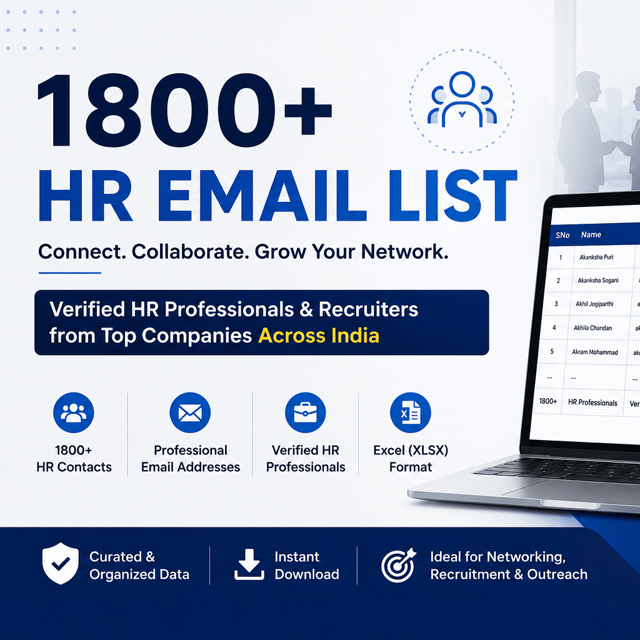
1800+ Verified HR & Recruiter Email List – India
GATE vs Jobs – Clear Career Guidance for Students.
Discovery Call – Jobs, Intern, GATE, Jee, Abroad
Doubt Session
70 Toughest Interview Q&A – Master Every Round
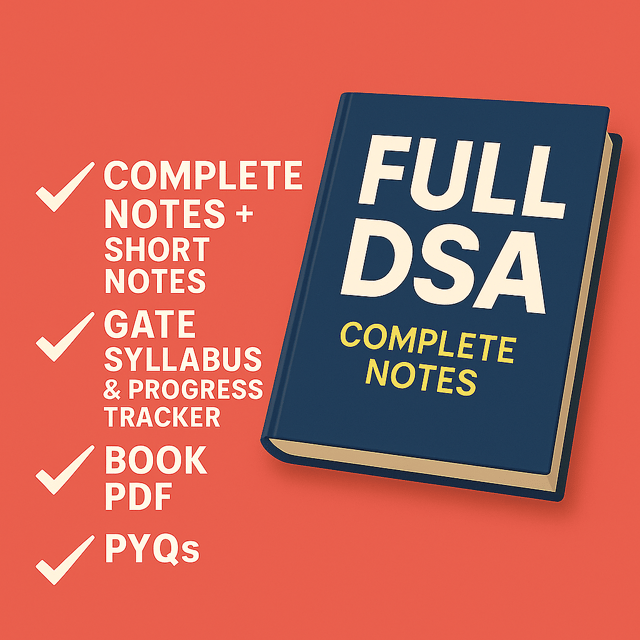
Gate Notes + GATE PYQs (CSE) – Complete & Short
About me
Frequently asked questions
How to start GATE CSE preparation as a beginner?
Start with the official GATE CSE syllabus and the last 10 years' question papers, then plan subject by subject: Programming & Data Structures, Algorithms, Operating Systems, DBMS, Computer Networks, Theory of Computation, Compiler Design, Computer Organisation, and Discrete + Engineering Maths. The beginner-friendly method is one subject at a time — finish the theory, solve that topic's previous year questions the same week, and maintain short revision notes. From month two, add a weekly test so you're measuring progress instead of just watching lectures.
How much time is needed for GATE CSE preparation?
Most candidates who crack GATE CSE put in around 6–9 months of focused GATE CSE preparation time at 3–4 hours a day, while college students juggling semesters or working professionals usually need 10–12 months at a steadier pace. If your basics in DSA, OS, DBMS and CN are already solid from placements, 4–5 serious months can be enough. What matters more than total months is consistency and keeping the last 2 months free for full-length mocks and PYQ revision.
What is a realistic GATE CSE preparation strategy month by month?
A practical GATE CSE preparation strategy is front-loading the high-weightage core subjects: months 1–3 on DSA, Algorithms, OS, DBMS, CN and TOC with topic-wise PYQs; months 4–5 on the remaining subjects and maths; months 6–7 on subject-wise tests and weak-area repair; and the final 6–8 weeks only on full-length mocks, complete PYQ papers and short-note revision. Whatever your timeline, keep two non-negotiables: PYQs immediately after every topic, and one test every week.
Which GATE CSE preparation books and material should I actually use?
One standard book per subject is enough — for example Galvin for OS, Navathe or Korth for DBMS, and Forouzan or Tanenbaum for networks — along with a topic-wise previous year question bank and one good test series. Treat extra GATE CSE preparation material like PDFs, coaching notes and YouTube playlists as support for topics you genuinely find hard, not as your primary resource. Collecting material feels productive, but solving PYQs is what actually moves your score.
How to learn DSA problem solving from scratch?
Pick one topic at a time — arrays, strings, hashing, two pointers, sliding window, stacks, linked lists, trees, graphs, recursion, then dynamic programming — and solve 15–20 easy problems on it before moving ahead. The habit that builds real skill is struggling with each question for 20–30 minutes, attempting a brute-force solution first, and dry-running your code on paper before checking any editorial. One or two problems a day for six months beats a weekend of binge-solving every time.
Which DSA problem solving techniques and patterns should I learn first?
Learn the high-frequency DSA problem solving techniques first — two pointers, sliding window, prefix sums, hashing, binary search (including binary search on answer), monotonic stack, tree traversals with DFS/BFS, recursion and backtracking, and then dynamic programming on strings, grids and knapsack-style problems. The trick is to treat DSA problem solving patterns as reusable templates instead of memorizing 500 random solutions, so you can identify what a new question is really asking within the first two minutes. Master these 10–12 patterns with 20–30 problems each, then move to mixed practice to sharpen pattern recognition under pressure.
Which is the best platform for DSA problem solving practice?
For Indian placements and internships, LeetCode is the most used DSA problem solving platform because its easy and medium questions closely mirror what product and service companies actually ask. Pair it with GeeksforGeeks for topic-wise and company-wise question lists before placement season, and use HackerRank or CodeChef if you also want contests and timed practice. A simple system: learn a topic, solve 20–30 problems on it, then filter for your target companies in the final month before interviews.
Should I practice DSA problem solving in Java or Python?
Recruiters don't filter you by language — your approach and code quality matter more. Doing DSA problem solving in Python is faster to write and easier to read, which helps in timed online assessments, while DSA problem solving in Java pays off when your target companies list Java in their job descriptions or the later interview rounds move into Java-specific concepts. The practical rule is to pick the language you already know reasonably well and stay consistent, because switching midway costs far more time than any language advantage gives back.
What are the most common DSA problem solving interview questions asked to freshers?
For freshers, the most repeated DSA problem solving interview questions come from arrays and strings (reverse, rotate, Kadane's, anagrams), hashing (frequency count, two-sum), linked lists (reverse, detect loop, find middle), stacks (valid parentheses, next greater element), trees (traversals, height, LCA, level order) and basic dynamic programming (climbing stairs, house robber, knapsack, LCS). Interviewers also test edge cases like empty inputs, duplicates and negative numbers. Solving the top 50–75 frequently asked questions for your target companies — and being able to explain your time and space complexity — covers most fresher rounds.
How to do LinkedIn profile optimization as a fresher?
LinkedIn profile optimization for freshers comes down to five moves: write a headline that names your target role (like "Final-year CSE student | DSA, Java, React | Seeking SDE internships") instead of just "Student"; add a clear photo and a simple banner; write an About section in first person about what you can do and what you want next; list real projects with links and mirror the skills from your target job descriptions; and stay active with a few posts or meaningful comments each week. Then turn on "Open to work" so recruiters can filter you in, and prioritise referrals over cold applications.
How to check LinkedIn profile optimization before applying for jobs?
The quickest way to check LinkedIn profile optimization is to type your target job title into LinkedIn's search bar and see whether your profile shows up in the People results — recruiters use the same search, so if you're invisible there, you're invisible to them. After that, audit four things: does your headline name the role you want, does your About section describe what you can do rather than just what you're studying, do your top skills match the job descriptions you're applying to, and has there been any activity on your profile in the last few weeks. If any answer is no, fix it before your next application.
Do free LinkedIn profile optimization tools actually work?
Free LinkedIn profile optimization tools — headline generators, AI-based profile graders and browser extensions that score your profile — are useful for catching basics like a weak headline, missing skills or a bare-bones About section. The catch is that they optimize against templates, so tool-only profiles start sounding identical to everyone else's. Even a well-crafted LinkedIn profile optimization prompt in ChatGPT or Claude gives you only a generic first draft — the winning combination is fixing structure and keywords with the tool, then rewriting your headline and About section in your own voice for the specific role you want.
Are LinkedIn profile optimization services worth paying for?
LinkedIn profile optimization services are worth it when you're getting profile views but no recruiter messages, switching fields and can't position your old experience for the new one, or applying for months with zero response — in those cases the problem is usually keyword targeting and positioning, which is exactly what a good service fixes. They're a waste of money if your profile is new and empty, because no rewrite can fix a blank experience section. If you do pay for one, choose someone who rewrites based on your actual target roles and explains the reasoning, not someone who just hands over a polished document.
How much to charge for LinkedIn profile optimization as a freelancer?
For Indian clients, freelancers generally charge ₹500–₹2,000 for a headline, About and skills rewrite, ₹2,000–₹5,000 for a complete profile overhaul with keyword targeting and banner, and higher rates when it's bundled with resume writing or coaching. Start at the lower end for your first few clients, collect before-and-after results and testimonials, then raise your rate every few projects. Pricing also scales with the client's stage — students and freshers pay less, while mid-career professionals and founders pay more because the profile works as a lead-generation asset for them.
What is LinkedIn Open Profile and should I turn it on?
LinkedIn Open Profile is a Premium feature that lets anyone on LinkedIn send you a free message even if you're not connected — normally, messaging people outside your network requires InMail credits or a paid request. Turn it on if you want inbound opportunities: freelancers use it so potential clients can reach them directly, and job seekers use it so recruiters and referrers can contact them without waiting on a connection request. Keep it off if you're drowning in spam or job-hunting confidentially while still employed.