Testimonials
Services
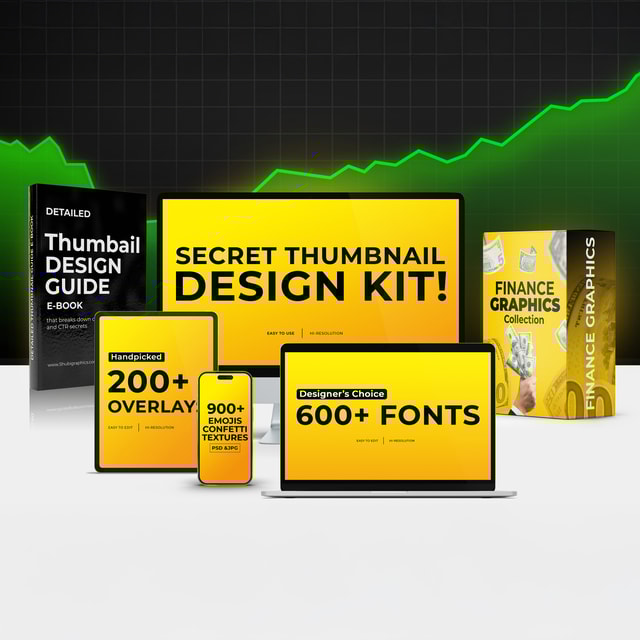
Secret Thumbnail Design Kit - ⭐On High demand
1:1 Call – Design & YouTube Strategy
About me
Frequently asked questions
What is the correct YouTube thumbnail size and aspect ratio?
The recommended YouTube thumbnail size is 1280 x 720 pixels, with a minimum width of 640 pixels and a file size under 2 MB in JPG, PNG, or GIF format. The YouTube thumbnail aspect ratio is 16:9, so design within that frame and keep faces and text away from the very edges, since some placements crop the sides. Always preview at mobile size before uploading, because that is where most viewers first see it.
How do I design a thumbnail for YouTube?
The core of how to design a thumbnail for YouTube is one clear focal point, two to four words of bold text, strong contrast, and colours that pop against YouTube's white and dark interfaces. Use one emotion per thumbnail — curiosity, shock, or excitement — instead of cramming in multiple ideas. The most common mistake is a cluttered YouTube thumbnail background; a clean or softly blurred background with a cut-out subject almost always earns more clicks.
How do I design a thumbnail in Canva?
The easiest way to learn how to design a thumbnail in Canva is to search "YouTube Thumbnail" inside Canva and start with a 1280 x 720 template. Swap the sample text for a short headline, add a cut-out photo of yourself or your subject, adjust the colours for contrast, and download as PNG. Save your final layout as a reusable template so every future thumbnail stays consistent with your channel's look.
Why are my YouTube thumbnails not showing?
YouTube thumbnails not showing up is usually a caching or processing issue, not a problem with your design. Confirm in YouTube Studio that the thumbnail actually saved, wait a few hours for fresh uploads to propagate, then clear your browser or app cache or test in incognito mode. If the custom thumbnail option is greyed out, your channel typically needs phone verification before custom thumbnails are allowed.
What is a thumbnail designer on YouTube?
A thumbnail designer on YouTube is a specialist who creates the clickable cover images for videos with the goal of raising click-through rate. They combine expressive faces, short punchy text, contrast, and colour psychology so a video stands out in search results and the suggested feed. Many channels hire them freelance or full time, because a higher click rate means more views from exactly the same video.
Are there work from home thumbnail designer jobs in India?
Yes — work from home thumbnail designer jobs are completely realistic because the entire work is digital. The most common route is freelancing: build 8–10 sample thumbnails for one niche, reach out to small and mid-sized YouTubers, and grow through referrals. Remote full-time openings also appear on Indian job portals under "graphic designer" or "YouTube designer", and experienced designers usually charge per thumbnail.
What should a thumbnail designer portfolio include?
A strong thumbnail designer portfolio should show 8–10 of your best thumbnails grouped by niche — gaming, education, vlogs, podcasts — plus at least two before-and-after redesigns of real videos. Add any click-rate or view improvements you can prove, a one-line idea note under each design, and your turnaround time and revision policy. Clients hire on proof of clicks, not just pretty images.
Are YouTube thumbnail templates a good starting point?
YouTube thumbnail templates are a smart starting point because they handle sizing, spacing, and alignment for you. Customise them heavily though — replace the placeholder text, swap in your own face or subject, and change the colour scheme so your videos do not look like hundreds of other channels. Templates save time; your own hook and style are what make people click.
Where can I find good thumbnail design ideas for my videos?
The best source of thumbnail design ideas is the top-performing videos in your exact topic — screenshot the ten thumbnails that made you click and note the patterns in faces, text, and colour. Browsing YouTube thumbnail ideas on Pinterest helps too, since boards are organised by style. Studying thumbnails from your own niche works far better than copying random viral channels.
What are some effective YouTube thumbnail ideas for educational videos?
The YouTube thumbnail ideas for educational videos that perform best show the outcome or transformation — a bold three-to-four-word promise ("Speak English in 30 Days"), a clear number ("5 Mistakes"), or a before-and-after split. An expressive tutor face pointing at the topic also lifts clicks. Keep text large and readable, since education audiences in India largely watch on small mobile screens.
What are some proven YouTube thumbnail ideas for gaming channels?
The YouTube thumbnail ideas for gaming channels that consistently work combine an intense or shocked reaction face with one recognisable game element — a rare drop, a boss fight, or a clutch moment. Use high-saturation colours, two to four words of big text, and a single focal point, because gaming feeds are the most crowded on the platform. Zoom in more than feels natural; thumbnails are mostly judged as tiny mobile previews.
Is AI thumbnail design good enough for YouTube?
AI thumbnail design is genuinely useful for speed — background removal, generated backgrounds, and quick layout variations take minutes instead of hours. The weak spot is the hook: AI produces good-looking but generic images and does not know the specific curiosity gap of your video. A practical workflow is to draft with AI, refine the face, text, and contrast manually, and compare click rates between AI drafts and hand-finished versions before fully switching.
Is a thumbnail design course worth it for YouTubers?
A thumbnail design course is worth it when it teaches click psychology — hooks, text hierarchy, faces, and contrast — rather than only software buttons. If you already understand layout and colour, redesigning real thumbnails and tracking your click rate can teach you a lot for free. Beginners usually improve faster with structured guidance, because on the same video, a clearer thumbnail alone can noticeably lift views.
What is thumbnail design in Hindi?
Thumbnail design ko Hindi mein "थंबनेल डिज़ाइन" kaha jata hai. Simple words mein, iska matlab hai video ki cover image banana — wo picture jo search results aur suggested videos mein dikhti hai aur decide karti hai ki viewer aapki video par click karega ya nahi. English mein ise video ki "packaging" bhi kaha jata hai, kyunki yahi video ka pehla impression hoti hai.
How do I choose a thumbnail design studio in Pune?
Evaluate a thumbnail design studio in Pune the way you would judge any thumbnail specialist: check a YouTube-specific portfolio rather than general graphic design work, ask for before-and-after examples with real view or click-rate improvements, and confirm they design for mobile-first viewing. Also compare turnaround time, number of revisions, and whether they work on the title along with the thumbnail, since the two perform as a pair. For just a few thumbnails a month, an individual designer is usually more budget-friendly than a full studio.