Testimonials
Services

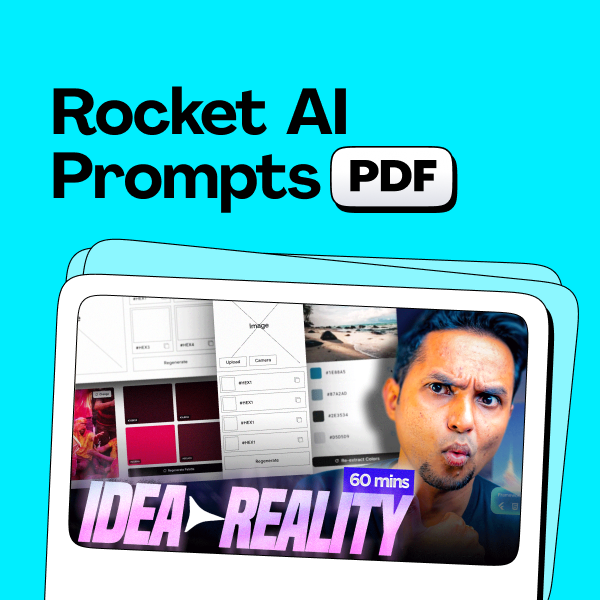
Prompts to build Colour Palette Extractor App
Mini design mentorship program (3 Hrs)
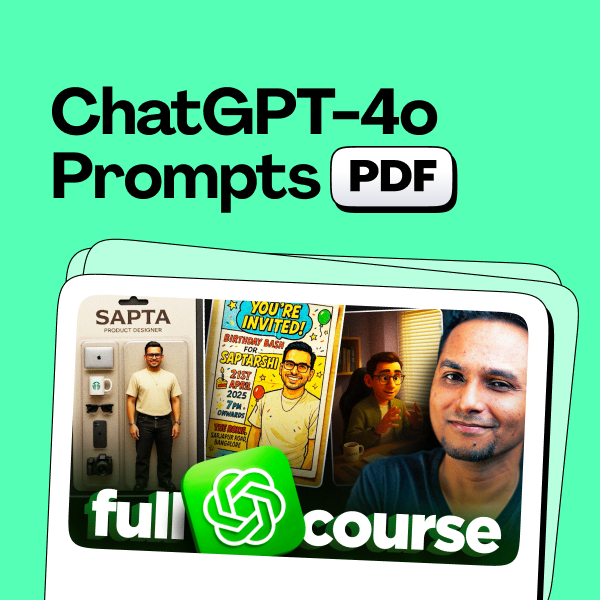
ChatGPT-4o image generation Prompts by Sapta

Frequently asked questions
How to make a UX design portfolio that gets you shortlisted?
Start with two or three deep case studies instead of many shallow screens. For each project, show the problem, your process (research, wireframes, iterations), the final design, and the reasoning behind key decisions. Recruiters usually scan portfolios in minutes, so lead with your strongest work, keep navigation simple, and write short, scannable summaries. Close with a clear about section and an easy way to contact you.
How to create a UX design portfolio with no experience?
Use self-initiated work: concept redesigns of apps you use daily, responses to design challenges, or solutions for a local problem you have personally noticed. Document your thinking honestly — when you have no experience, clear reasoning matters more than pixel-perfect visuals. Two well-explained concept projects are enough to start applying. You can also design for a friend's business, a student club, or an NGO to bring real constraints into your case studies.
What should a UX design portfolio look like?
Clean, consistent, and easy to scan: a short home page with your name, role, and best work; three to five case studies structured as problem → process → solution → outcome; an about page; and contact details. Show final screens first and the process beneath. Avoid heavy animations and oversized image files, since many recruiters open portfolios on their phones. Consistent typography and spacing quietly prove your design fundamentals.
Where can I find good UX design portfolio examples?
Browse Behance and Dribbble, personal websites of designers at companies you admire, and case studies shared on LinkedIn. Study why they work — how the problem is framed, how decisions are justified, and how results are presented — rather than copying the visuals. Save a few formats you like and adapt the storytelling structure to your own projects while keeping your voice and actual process intact.
Should I use a UX design portfolio template or design my own?
Templates are a reasonable starting point, especially when you are short on time, but customise the layout, typography, and case-study flow so your portfolio does not look like every other designer using the same theme — recruiters recognise overused templates quickly. Remove sections you cannot fill meaningfully and restructure the template around your own story. If time allows, even a simple custom layout immediately feels more personal.
Are dedicated UX design portfolio websites better than sending a UX design portfolio PDF?
A live website — your own domain or a platform like Behance — is the default, since a link is easy to share, opens well on mobile, and stays up to date. That said, many Indian companies, agencies, and campus placement cells still ask for a PDF, so keep a compressed export of the same case studies ready. The practical approach is to maintain both and send whichever the recruiter requests.
What is UI design and why is it important?
UI design is the craft of designing the screens people actually interact with — layout, typography, colour, icons, buttons, and micro-interactions. It matters because the interface is where users meet the product: clear interfaces build trust, reduce confusion, and directly influence conversions and retention. For companies, good UI lowers support costs and lifts engagement; for users, it makes complex technology feel simple.
What is a UI designer job and what skills does it require?
A UI designer shapes how a digital product looks and responds: screens, components, design systems, typography, colour, and interaction states, followed by handoff and implementation reviews with developers. Core skills include Figma, visual design fundamentals, accessibility basics, and close collaboration with UX designers and product managers. In India, the role exists across startups, product companies, and agencies, and in smaller teams it often merges with UX into a product designer role.
How to design UI UX as a complete beginner?
Learn the fundamentals first — visual hierarchy, spacing, typography, colour, and basic user flows — then practise deliberately: recreate screens you admire to understand the decisions behind them, then redesign a real app around a specific user problem. Master one tool deeply (Figma is the industry standard in India), read established guidelines like Material Design and Apple's Human Interface Guidelines, and share your work for critique early. Two or three end-to-end projects you can defend in an interview beat ten abandoned ones.
How to design UI in Figma step by step?
Start with low-fidelity wireframes using simple frames, grids, and grey boxes; set up text and colour styles early so the file stays consistent; build reusable components for buttons, inputs, and cards; then replace placeholders with realistic content and refine spacing and hierarchy; finally, connect key screens with prototyping and preview them on a phone-sized frame. Auto Layout and components are the two features worth learning first, because they make designs behave like real products.
What is a UI design course and is it worth joining one in India?
A UI design course is a structured program that teaches interface design fundamentals, a tool like Figma, and usually guides you through portfolio projects. It is worth it when it includes hands-on critiques and real project work — passive, video-only courses rarely move the needle. In India you can choose from free YouTube playlists, short paid workshops, and multi-month programs. If you are self-disciplined, free resources plus community feedback can take you far; a paid course mainly buys structure, deadlines, and mentorship.
What are the best AI tools for UI design?
ChatGPT-style assistants are useful for drafting user flows, UX copy, and research summaries; image generators like Midjourney and ChatGPT's image generation help with moodboards and concept exploration; and Figma plugins or built-in AI can produce first-draft layouts and handle housekeeping like renaming layers. Treat every output as raw material — AI speeds up ideation, but judgement about users and context still has to come from you, so edit everything using design fundamentals before it enters real work.
What is mentorship and why is it important?
Mentorship is a learning relationship in which someone more experienced guides your growth through honest feedback, advice, and accountability. It is important because it compresses years of trial and error: a mentor spots blind spots you cannot see, tells you what the industry actually expects, and helps you make better decisions about skills, portfolios, and career moves. In creative fields especially, structured feedback on real work is the fastest way to improve.
How much does mentorship cost in India?
It varies widely. Community mentors sometimes help for free, while sessions with experienced professionals typically fall anywhere between a few hundred and a few thousand rupees for 30–60 minutes, and multi-session or multi-week programs cost more. Compare what is included — call duration, written feedback, follow-up support — rather than the price alone. For portfolio reviews or interview preparation, a focused session with concrete, actionable fixes usually delivers more value than a long, generic conversation.
What should I look for in a design mentorship program?
Check who the mentor is — ideally a practising designer whose work you respect, not just a trainer. Look for critique of your actual portfolio and projects rather than generic lectures, a clear structure covering portfolio reviews, mock interviews, and career guidance, a format you can realistically commit to, and honest testimonials from past mentees. If you are targeting UX roles, make sure the program offers genuine UX design mentorship — case-study feedback and process guidance — not just tool tutorials.