Testimonials
Services

About me
Frequently asked questions
What is Claude AI used for?
Claude AI is used for everyday knowledge work: drafting and editing documents, summarising long PDFs and meeting notes, analysing spreadsheets and data files, writing and debugging code, preparing reports and emails, and thinking through decisions. Finance professionals use it for reconciliations, variance commentary and report reviews; founders use it for research and operations; job seekers use it for resumes and interview prep. In short, it performs best on text-heavy and document-heavy tasks.
How to use Claude AI for free?
Sign up with your email or Google account on Claude's official website or app and start on the Free plan — no card needed. The free tier gives you daily message limits with access to the current models, which is enough for everyday drafting, summarising and Excel help. If you're wondering how to get Claude AI Pro for free, there is no permanent free Pro — only occasional official promotions — so the practical route is to use Free until the limits genuinely slow down your work, then upgrade.
How to use Claude AI agents?
An agent is Claude set up with clear instructions and connected tools so it can complete multi-step tasks with less hand-holding. The simplest starting point is a Claude Project: give it a role, your standard output formats, and reference files, then run your recurring tasks through it. For deeper automation, you can connect Claude to tools you already use — spreadsheets, calendars, CRMs — through connectors and integrations, or build custom agents via the API. Non-technical users should start with Projects before attempting anything more complex.
How to use Claude for finance?
Treat Claude like a finance analyst you brief properly: tell it what the data is (trial balance, P&L, bank statement, variance report), what output you want, and in what format. The best way to learn how to use Claude for finance is to pick one repetitive weekly task — such as variance commentary or reconciliation summaries — and run it end to end until it's reliable, then expand to formula building, MIS commentary and report reviews. Always make Claude show its working against your source figures so you stay in control of the numbers.
How to use Claude for finance and accounting?
Upload your Excel file or paste the sheet, then assign Claude the tasks that eat your month-end: writing XLOOKUP and SUMIFS formulas, flagging mismatches in ledgers, summarising GST/TDS reconciliations, cleaning data, and drafting month-end commentary. Tell Claude exactly what "correct" looks like and ask it to verify every figure against your source data. CAs, CMAs and analysts typically start with audit tie-outs and commentary drafts before automating more of their workflow.
How to learn Claude for finance?
Learn in layers: first Claude fundamentals (prompting, Projects, file uploads), then finance-specific workflows (analysis, reconciliation, reporting commentary, Excel formulas), then automation of your repeated tasks. Anthropic's free documentation and YouTube walkthroughs cover the basics, but a structured Claude for finance course or a practitioner-written guide — such as dedicated guides like Claude for Finance by ByteMint — compresses months of trial and error into days because the workflows are already mapped out. Practising on your own live files is what makes it stick.
What is Claude for financial services?
Claude for Financial Services is Anthropic's enterprise offering for banks, insurers, asset managers and fintechs. It lets institutions deploy Claude at scale with their own data, documents, compliance controls and connectors to market-data and research platforms. Individual analysts, advisors and accountants don't need the enterprise product — a regular Free or Pro account covers personal finance work. The enterprise version exists for security, integration and organisation-wide deployment.
How much does Claude for finance cost?
Two things get called this. Anthropic's enterprise Claude for Financial Services is custom-priced for institutions and quoted through their sales team. If you mean using Claude for your own finance work, Claude AI pricing is simple: a Free plan with daily limits, and a paid Pro subscription billed monthly, which is enough for most individual workflows. Guides and courses that teach finance-specific workflows are separate products with their own one-time pricing, usually far cheaper than a subscription over a year.
How to write Claude prompts?
Use a fixed structure: role, context, task, format, and one example if possible — e.g., "You are a financial analyst. Here is last quarter's sales data. Identify the top three anomalies, explain likely causes, and output a table I can paste into Excel." Then iterate by asking Claude what information it's missing instead of rewriting from scratch. And before searching for a Claude prompt generator, build a small library of templates for your own recurring tasks — your own context will beat any generic generator.
What is Claude prompt engineering?
It's the practice of writing instructions so Claude produces accurate, consistent, usable output instead of vague responses. Good prompt engineering means giving context and constraints, showing examples of the output you want, breaking large tasks into steps, and telling Claude how to handle missing information. It's a writing and thinking skill, not a technical one — and it's the single biggest lever on the quality of what you get out of the tool.
What is Claude prompt caching?
Prompt caching lets Claude reuse the long, unchanged part of your prompts — such as a 50-page report or a set of standing instructions — across multiple requests instead of reprocessing it every time. This makes repeated queries over the same document faster and cheaper. Everyday chat users don't need to manage it manually, but it becomes important if you build automations or apps that repeatedly query the same documents.
Is a Claude AI subscription worth it?
If Claude is already part of your regular work — reports, analysis, writing, spreadsheets — yes, because the Free plan's daily limits run out quickly on working days. A paid Claude AI subscription makes sense when you hit those limits regularly, need the stronger models for complex tasks, or want to standardise usage across a team. If you only chat with it occasionally, stay on Free. A simple test: if you're rationing prompts to save your daily quota, you're ready to upgrade.
Is there an official Claude AI certification?
Not an official one — Anthropic does not currently run a formal certification programme the way cloud platforms do. What exists is Anthropic's own free documentation and courses, plus third-party programmes, some marketed as a Claude for finance certification or similar credentials. In practice, a certificate matters less than proof of work: a reusable template library, an automated workflow, or real outputs you've built with Claude carries more weight with employers and clients than a badge.
Is there an official Claude AI app?
Yes. Claude runs directly in your browser with nothing to install, and there are official Claude AI app downloads for Android and iOS, plus a desktop app for Windows and Mac. One login keeps your chats and projects in sync across all devices. Stick to apps published by Anthropic in the official app stores — third-party apps using the Claude name are not the real product.
What are the best Claude prompts for resume optimization?
The ones that force specifics. Paste the job description and your resume together, then ask Claude to: match your experience to the job's exact keywords, rewrite bullet points with measurable results, flag weak or vague claims, and tailor your summary for applicant tracking systems. A strong follow-up prompt is "interview me based on this resume and tell me where it's thin." Save the prompts that work as templates so tailoring your next application takes minutes instead of hours.
Which is better for work: Claude, ChatGPT, Copilot or Gemini?
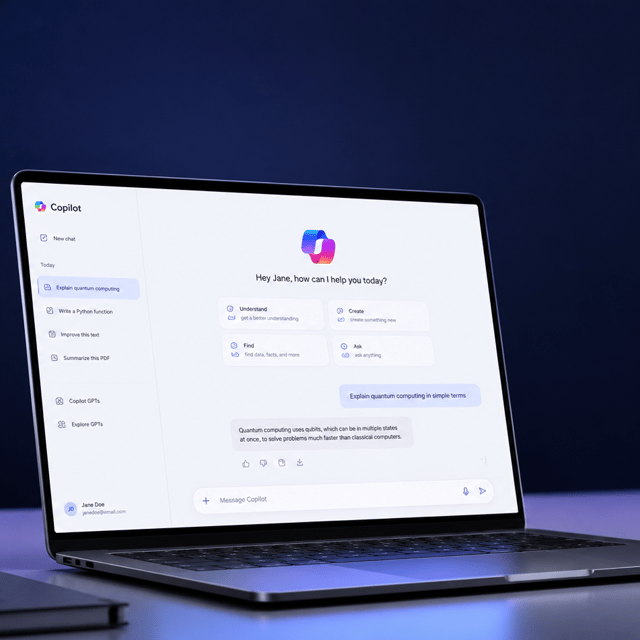
They're good at different things, and the honest answer is that most people end up using two. Copilot wins when your work lives inside Microsoft 365, because it sees your files, Teams threads and Outlook without you uploading anything. Claude is stronger on long documents, spreadsheets and careful reasoning. ChatGPT is the most versatile all-rounder and the best at images. Gemini makes sense if your company runs on Google Workspace. Pick based on where your files already sit, not on which model scored higher on a benchmark this month.
Is Microsoft Copilot worth paying for?
It depends entirely on whether your organisation is on Microsoft 365. If it is, Copilot's advantage is context: it can pull from your SharePoint, your Teams history and your Outlook without you feeding it anything. That's genuinely hard to replicate by pasting into a chat window. If you don't work in the Microsoft ecosystem, the same money buys you more capability elsewhere. Also worth checking before you buy: Copilot access varies by licence and your IT admin may control what's switched on.
How do I build an AI agent in Copilot?
Start in Copilot Studio with a narrow, well-defined task rather than trying to automate a whole process. Give the agent one knowledge source, such as a single SharePoint folder or one spreadsheet, write instructions that state exactly what it should do and what it must never guess, then test it against cases where you already know the right answer. The mistake most people make is giving an agent too much scope on day one. A finance agent that reliably drafts one journal entry beats an ambitious one that gets the entry subtly wrong.
Can AI actually do month-end close?
Parts of it, with a human signing off. AI is reliable at drafting variance commentary, building reconciliation summaries, flagging mismatches between ledgers, and turning a supporting schedule into a correctly coded journal entry. It is not reliable at deciding whether a number is right. The workable pattern is AI drafts, you review, you post. Anyone promising unattended posting is selling you an audit problem. Start with commentary and reconciliation summaries, where errors are visible, before touching anything that hits the ledger.
Is it safe to put company data into AI tools?
It depends on which tool and which account. Enterprise deployments of Copilot, Claude and ChatGPT keep your data inside your tenant and out of model training, and that's the version your IT team should be approving. The real risk is people pasting client data into personal free accounts because the approved tool is slow to arrive. Decide which tools are sanctioned, tell people clearly, and make the approved path easy. Policy that's stricter than what people can realistically follow just moves the usage somewhere you can't see it.