Testimonials
Services
⚡ Priority DM Access (Ask Me Anything)
ATS Resume creation
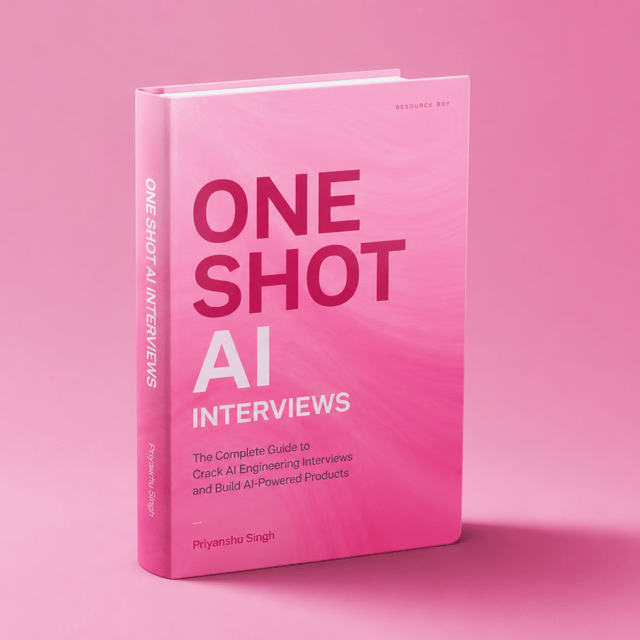
The Ultimate Guide to AI Interviews get 20LPA+
6 Months MentorShip Plan
iOS / Flutter Debugging & Guidance
📄 Resume Creation from Scratch
About me
- Priyanshu Singh is knowledgeable, helpful, and delivers practical advice, making him a highly recommended guide for personal and professional growth.
 AI-generated based on testimonials
Frequently asked questions
What are the most common iOS interview questions and answers?
The most common iOS interview questions and answers revolve around Swift and app fundamentals: ARC and memory management, optionals, closures and capture lists, delegates vs callbacks, structs vs classes, GCD and threading, retain cycles, the UIKit view lifecycle, and SwiftUI state and view identity. Mid-level roles add questions on architecture patterns (MVC, MVVM), dependency injection, and testing. The best way to use any list is to write and speak every answer in your own words, because interviewers keep asking "why" until they find the edge of your understanding.
What are the most common iOS interview questions for experienced developers?
iOS interview questions for experienced developers go far beyond syntax. Expect architecture and system design (designing a feed, chat, or offline-first app), Swift concurrency (async/await, actors, Sendable), performance profiling with Instruments, memory leak debugging, modularisation, unit and UI testing, CI/CD, and trade-off reasoning — why you chose one approach over another. Interviewers also dig into your past projects: what broke in production and how you fixed it. With 4+ years of experience, most of your prep time should go into design and debugging scenarios, not definitions.
How do I prepare for iOS interview questions in Swift?
To prepare for iOS interview questions in Swift, focus on what interviewers actually probe: optionals and unwrapping, closures and capture lists, protocols and generics, value vs reference semantics, ARC with weak/unowned references, property wrappers, and modern concurrency (async/await, Task, actors). Don't just read answers — build small Xcode playgrounds for each concept and explain them out loud, since follow-ups come from your own explanation. Rebuilding one feature in both UIKit and SwiftUI also gives you real trade-offs to talk about with confidence.
What topics come up in iOS interview questions for 2026?
iOS interview questions for 2026 still test the fundamentals — ARC, optionals, closures, layout, and view lifecycle — but weight modern skills more heavily: Swift 6 strict concurrency, SwiftUI-first UI work, Swift Testing, modular architecture, and integrating on-device AI features into apps. Some teams now ask how you'd ship an AI-assisted feature end to end. If you're starting fresh, follow a structured path like a complete 2026 iOS developer roadmap so you lock down fundamentals before jumping into advanced topics, instead of hopping randomly between tutorials.
Are iOS interview questions on GitHub enough to crack an interview?
iOS interview questions on GitHub are useful for breadth — they show which topics repeat across companies — but they rarely get you through a real interview on their own. Most repositories are bare question lists with thin, outdated, or copy-pasted answers, while interviewers grade your reasoning, not your recall. A stronger approach: use a repo only to shortlist topics, write your own answers with small code examples, and then sit through mock interviews — ideally with a mentor who pushes back on your explanations the way a real interviewer would.
What iOS system design interview questions are asked?
Typical iOS system design interview questions ask you to design a feature end to end: a social feed with infinite scroll and image caching, a chat app with offline support, a photo gallery, or search with debouncing and pagination. Interviewers expect you to clarify requirements, pick an architecture (MVVM, Clean, TCA), define models and data flow, plan caching and offline persistence, handle threading, and justify trade-offs. At senior levels in India, rounds often add low-level design too, like class-level design for an image loader or a dependency container.
How do I prepare for an iOS system design interview?
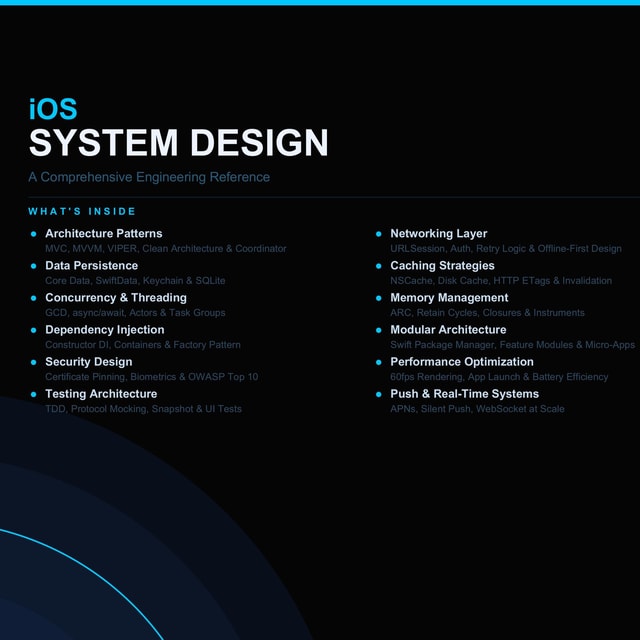
Prepare for an iOS system design interview by practising a repeatable framework: gather requirements, set module boundaries and architecture, map the data flow, then defend your decisions on caching, persistence, concurrency, and error handling. Rehearse out loud on 6–8 classic prompts (feed, chat, offline notes, image loader). Because iOS-specific design material is scattered, most candidates either assemble it from engineering blogs and conference talks or use a focused guide like Priyanshu Singh's "iOS System Design — Land Dream Job", and then pressure-test their thinking in a mock round.
Is it worth taking an iOS system design course?
An iOS system design course is worth it if you already code well but keep stumbling in design rounds — a structured path through real scenarios and trade-offs can save months of scattered reading. If you're self-driven, you can get far with Apple's documentation, the Human Interface Guidelines, iOS engineering blogs, and conference talks, then practise prompts with a peer. The honest test is simple: can you whiteboard a feed or chat design and defend every layer of it? If not, you need feedback-driven practice more than more content.
Is there a good iOS system design book?
A dedicated iOS system design book is genuinely rare — most system design books are backend-centric and barely touch mobile concerns like view architecture, offline sync, image caching, battery, and memory constraints. The practical substitutes are Apple's Human Interface Guidelines, published iOS engineering blogs, conference talks, and structured interview guides written specifically for iOS. If you prefer reading, build your own "book": detailed notes and diagrams for 6–8 design prompts, reviewed and improved after every mock interview. That artefact becomes your best revision material.
Can you do SwiftUI development on Windows?
No — SwiftUI development on Windows is not possible in any official way. SwiftUI depends on the iOS and macOS SDKs, and Xcode, the only tool that builds and previews SwiftUI apps, runs exclusively on macOS. You can install the Swift language toolchain on Windows for server-side or command-line work, but you cannot compile, run, or preview a SwiftUI app there. Realistic options are using a Mac (even a base model), a cloud Mac rental, or doing non-UI logic on Windows and all app work on macOS.
Can you do SwiftUI development in VS Code?
Not meaningfully. SwiftUI development in VS Code is limited to editing Swift files with the Swift extension — you get syntax highlighting and some language-server features, but there are no iOS SDKs, no simulator, and no SwiftUI previews, so you can't build, run, or visually iterate on an app. VS Code can sit alongside Xcode as an editor, but the build, previews, and debugging loop all run in Xcode on a Mac. If your goal is SwiftUI apps, treating VS Code as your primary iOS IDE will only slow you down.
Is SwiftUI app development in demand in India?
Yes — SwiftUI app development is in demand in India, and a growing share of iOS job postings list SwiftUI as required or preferred, especially at product startups and newer teams. That said, UIKit isn't going anywhere: most established Indian companies still maintain large UIKit codebases. The strongest profile is comfortable with both — shipping new features in SwiftUI while maintaining and debugging legacy UIKit screens. If you're planning your learning order, go Swift fundamentals first, then SwiftUI, then enough UIKit to handle real codebases and interview questions about them.
How do I get started with macOS development with SwiftUI?
Starting macOS development with SwiftUI is easier than most iOS developers expect, because the syntax, state management, and layout model carry over almost directly. You need a Mac with Xcode; from there, create a macOS App target and learn the platform differences — window management, menu bar commands, keyboard shortcuts, settings scenes, and AppKit interoperability through NSViewRepresentable. The fastest path is building and shipping one small utility app for yourself; one real shipped app teaches you more than weeks of tutorials ever will.
What is an iOS design system?
An iOS design system is a shared set of reusable UI components, typography, colour tokens, spacing rules, iconography, and usage guidelines that keep an app consistent across screens and teams. In practice it usually layers a code-level component library (themed buttons, cards, list rows) on top of Apple's Human Interface Guidelines, plus documentation for when to use each piece. A good design system speeds up feature development, makes dark mode and localisation far less painful, and gives designers and iOS engineers one common language.
What is the iOS design system called?
Apple's design system is called the Human Interface Guidelines (HIG). It defines the platform conventions for iOS, iPadOS, macOS, watchOS, and visionOS — layout, Dynamic Type typography, colour, materials, and interaction patterns. When teams talk about "the iOS design system," they usually mean HIG combined with their own in-app component library; some teams also adopt or build custom design systems on top of HIG so the app stays consistent while still feeling natively Apple.