Testimonials
Services
Interactive Valentine's Day Website Template
Happy Birthday Cake Animation Source Code
Animated Love Tree Web Page
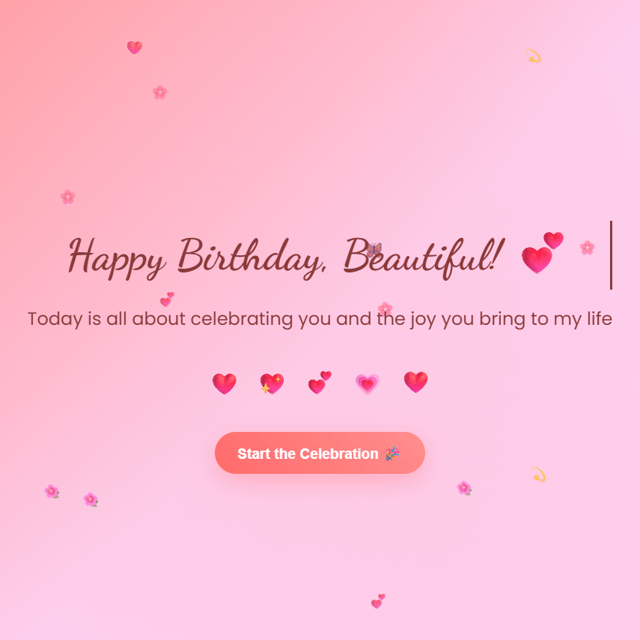
Custom Digital Birthday Surprise Website
About me
Frequently asked questions
How do I make a birthday surprise website?
If you're wondering how to make a birthday surprise website, the easiest route is to start from a birthday surprise website template or ready-made source code instead of building from scratch. You only need to change the name, photos, and message, add an animation like a cake or balloons, and host the page on a free platform so you can share it as a link. Building it fully with HTML, CSS, and JavaScript is possible, but a template saves hours.
What are some good ways to give a birthday surprise online?
A personalised birthday website sent at midnight is one of the most memorable options — the person opens a page made just for them with their name, photos, and a message. Other ideas include a surprise video call with friends, a montage video, or a delivered cake with a note. The website option stands out because it feels personal and stays with them, which is why so many people look up how to give a birthday surprise online when they can't be there in person.
Is there a free birthday surprise website I can use?
Yes — a free birthday surprise website is easy to put together if you're comfortable with light editing. Open-source code on GitHub gives you the full page ready-made; you change the name, photos, and message, then host it free on GitHub Pages or Netlify. The trade-off is that making it look polished takes some HTML/CSS comfort, so a customised version from a developer is worth considering if coding isn't your thing.
What should I include in a birthday surprise website for my girlfriend?
Most people who look up 'birthday surprise website for my girlfriend' end up using the same core elements: her name in the opening animation, a photo timeline of your favourite memories, a short letter, an interactive cake she can "blow out" by tapping, and a closing message with an inside joke. Keep the page fast and mobile-friendly since she'll open it on her phone, and send the link right at midnight. Personal details matter far more than fancy effects.
Is there a birthday surprise website maker who can build one for me?
Yes — searching for a birthday surprise website maker will bring up freelance developers and independent creators who build these as a done-for-you service. You share the person's name, photos, and your message, and they deliver a finished link or the source code, usually within a day or two and for a small fee. Automated website builders exist too, but their birthday pages tend to look generic compared to a custom-built one.
What are some good birthday surprise website ideas?
The most popular birthday surprise website ideas are a countdown that hits zero at midnight, a photo gallery of your memories, an animated cake with candles that can be "blown out" by clicking, a letter that types itself out, background music, and a final screen with your message. You don't need all of them — two or three done well feel more personal than a page that tries to do everything.
How do I send a birthday surprise website link to someone?
First host the page so it gets a public URL — GitHub Pages, Netlify, and Vercel all have free options for simple sites. Test the link on your own phone, then send the birthday surprise website link on WhatsApp or Instagram just before midnight with a vague message like "open this" so nothing gets spoiled. Make sure the page is mobile-friendly and loads quickly, since it will most likely be opened on a phone.
Where can I get a free Valentine website template?
GitHub and other code-sharing sites are the best starting point — you'll find a free Valentine website template with hearts, love notes, and animations in a quick search. Check the licence before using one, and be ready to edit the code yourself to change names and messages. If editing sounds like a chore, many developers sell Valentine templates and will customise one with your details for a small fee.
Can I edit a Valentine website template in Canva?
Only up to a point. Canva works well for static Valentine cards and invitations, but a Valentine website template in Canva can't handle the interactive parts people expect — animated hearts, a "Will you be my Valentine?" button, typing text, or background music. Those need HTML, CSS, and JavaScript. Use Canva for a quick e-card, and go with a coded template if you want something that behaves like a real website.
What is a Valentine proposal website template?
A Valentine proposal website template is a ready-made page for asking someone to be your Valentine. It usually opens with a short romantic message and ends with a "Will you be my Valentine?" prompt, often with Yes/No buttons where "No" playfully runs away from the cursor. You customise it with names and photos, host it, and send the link — the proposal happens the moment they open it.
What is the 'How Much I Love You' animation?
It's a popular web animation where a page keeps revealing more to show "how much" you love someone — growing hearts, ever-increasing numbers, distances, or an endless scroll. It spread widely as a shareable link on Valentine's Day and anniversaries. You can find free versions to host yourself, or get the 'How Much I Love You' animation as customisable source code with your own names and message so it doesn't look like the copy everyone else sends.
Where can I get 'I love you' animation HTML code?
Free snippets exist on GitHub and coding forums, but many are outdated or break on phones. The smoother option is ready-made 'I love you' animation HTML code from a developer who sells the source file — the heart animations and music already work, so you only edit the name and message, host it free, and share the link. Always test it on a phone first, since that's where it will be opened.
Can I make an 'I love you' animation using Python?
Yes — most 'I love you' animation Python code uses the turtle module to draw a heart and write your message stroke by stroke. It works well as a coding project, but as a surprise it's impractical: the person needs Python installed to run it. If the goal is something they can open on their phone in one tap, an HTML version hosted online and shared as a link is far more practical.
Can I customise the text in an 'I love you' animation?
Yes — in most versions the 'I love you' animation text sits in just one or two lines of the code, so you can swap in your partner's name, a special date, or a short message. If you'd rather not touch code, most sellers of these animations include customisation — you send them the exact words you want and they deliver it ready to share.
How do I send an 'I love you' animation website to someone?
Host the file on a free platform like GitHub Pages, Netlify, or Vercel so it gets a clean link, test it on your own phone, and then send the URL with a short teaser like "open this". An 'I love you' animation website works best as a complete surprise, so don't explain what it is beforehand — just make sure it loads fast on mobile, since that's where it will be opened.