Testimonials
Services

Smart Follow-Up & Work Tracker | Excel + Sheets
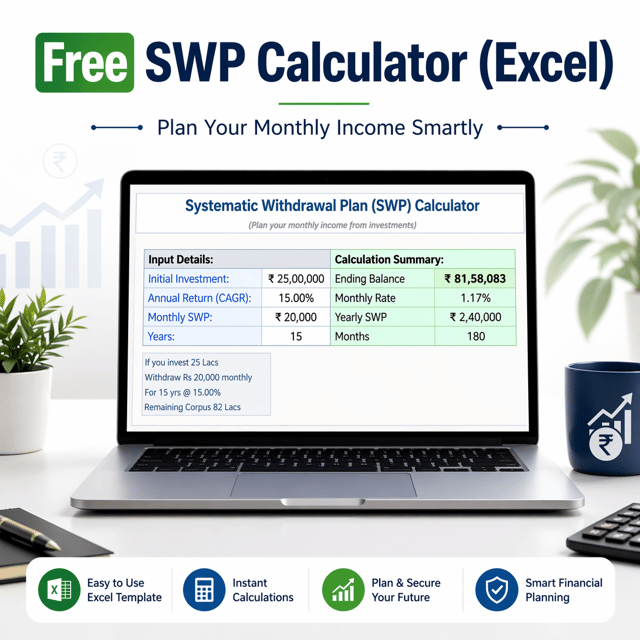
Free SWP Excel Template (Simple + Advanced)
About me
Frequently asked questions
What are MIS reports in Excel?
MIS reports in Excel are structured summaries of business data — such as sales, attendance, stock, expenses, and targets — prepared in Excel so that management can review performance and take decisions quickly. They are usually built with tables, PivotTables, formulas, and charts, and refreshed daily, weekly, or monthly. Since Excel is affordable and already available in most Indian offices, it remains the most common tool for MIS reporting.
How to prepare MIS reports in Excel step by step?
To prepare MIS reports, start by collecting raw data (sales register, attendance, billing, stock), clean it and format it as an Excel Table, then summarise it with PivotTables. Apply formulas like SUMIFS, COUNTIFS, and XLOOKUP for calculated fields, add charts or a dashboard for presentation, and set the file up so next month you only paste fresh data and the whole report updates automatically. The standard structure is a raw data sheet, a summary sheet, and a dashboard sheet.
What is the full form of MIS report?
The full form of MIS report is Management Information System report. MIS is the function that collects data from different departments and converts it into meaningful summaries for management. This is why job postings for MIS Executives mainly ask for Excel and reporting skills.
What is the meaning of MIS report in Hindi?
If you are searching for MIS report meaning in Hindi — MIS ka full form "Management Information System" hai, jise Hindi mein "प्रबंधन सूचना प्रणाली" kaha jaata hai. Simple shabdon mein, MIS report ek aisi report hoti hai jo management ko sales, attendance, aur kharche jaise data ka clear summary deti hai taaki sahi nirnay liye ja sake. India mein yeh reports zyaadatar Excel mein hi tayyar ki jaati hain.
What are some common examples of MIS reports?
Common examples of MIS reports include daily or weekly sales reports, attendance and payroll MIS, stock and inventory status reports, receivables and payables ageing reports, budget vs actual variance reports, production reports, and customer complaint trackers. In Excel, each of these is usually a summary sheet built on raw data using PivotTables, conditional formatting, and charts.
What are MIS reports in accounting?
MIS reports in accounting are internal summaries prepared from books of accounts — such as profit and loss summary, cash and bank position, debtors and creditors ageing, expense head-wise analysis, and budget vs actual comparison. Unlike statutory financial statements, their purpose is internal review and decision-making. Similarly, MIS reports in finance extend this to fund flow, cost centre performance, and key financial ratios reviewed by management every month.
Where can I download a free MIS report format in Excel?
You can download a free MIS report format in Excel from template libraries and from Excel creators who share ready-made formats for sales, attendance, and stock reporting. While choosing one, check that it has a raw data sheet, an auto-updating summary, and a dashboard sheet. If your reporting format is slightly different, it is easier to modify a ready-made template than to build one from zero.
Which Excel formulas are used in MIS reports?
The most important Excel formulas for MIS reports are SUMIFS and COUNTIFS for conditional totals, XLOOKUP/VLOOKUP and INDEX-MATCH for fetching data between sheets, IF and IFS for logic, and date functions like EOMONTH and EDATE for monthly grouping — along with PivotTables, which handle most of the summarisation. These few tools cover nearly every routine MIS report used in offices.
Can I automate MIS reports in Excel?
Yes, you can automate MIS reports in Excel by converting raw data into Excel Tables, using Power Query to import and clean data automatically, linking PivotTables and charts to that data, and recording macros for repetitive steps. Once set up, each reporting cycle only needs new raw data pasted in — summaries and dashboards refresh on their own, saving several hours every month.
What is the difference between MIS report and dashboard?
An MIS report is generally a detailed, table-based summary of data for a period, while a dashboard is a single visual screen showing only the key numbers through charts, KPIs, and slicers. In practice both work together — the detailed report sheets act as the backend and the dashboard sits on top for quick management review — and Excel handles both within the same file.
How to calculate SWP in Excel?
To calculate SWP (Systematic Withdrawal Plan) in Excel, make columns for opening balance, withdrawal, interest, and closing balance. Monthly interest = (opening balance − withdrawal) × (annual return ÷ 12), and closing balance = opening balance + interest − withdrawal; drag this down for the full tenure to see exactly when the corpus will exhaust. For example, ₹10 lakh at 8% annual return with a ₹10,000 monthly withdrawal lasts roughly 13–14 years. A ready-made SWP Excel template does these calculations automatically, including step-up and inflation-adjusted cases.
How to make a to-do list in Excel?
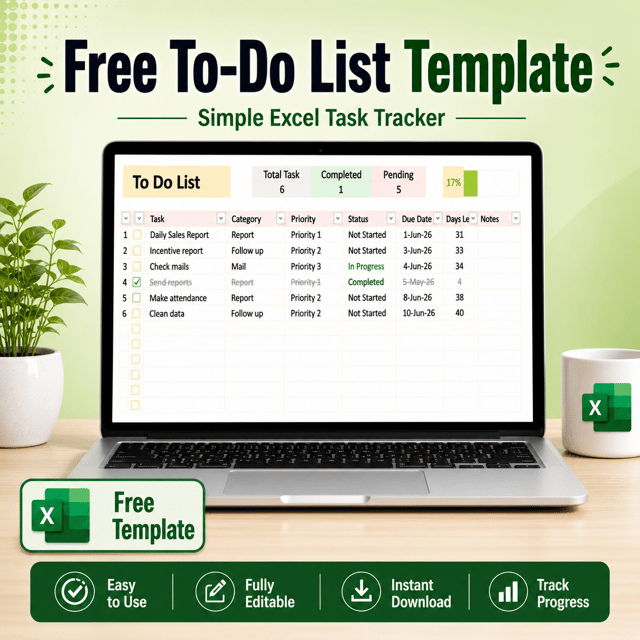
To make a to-do list in Excel, create columns for Task, Priority, Due Date, Status, and Remarks, convert the range into an Excel Table, and add dropdowns for Priority and Status using Data Validation. Apply conditional formatting so completed tasks turn green and overdue tasks turn red, and use a COUNTIF summary to see pending tasks at a glance. If you prefer not to set this up yourself, free to-do list Excel templates give you the same structure ready-made.