Testimonials
Services

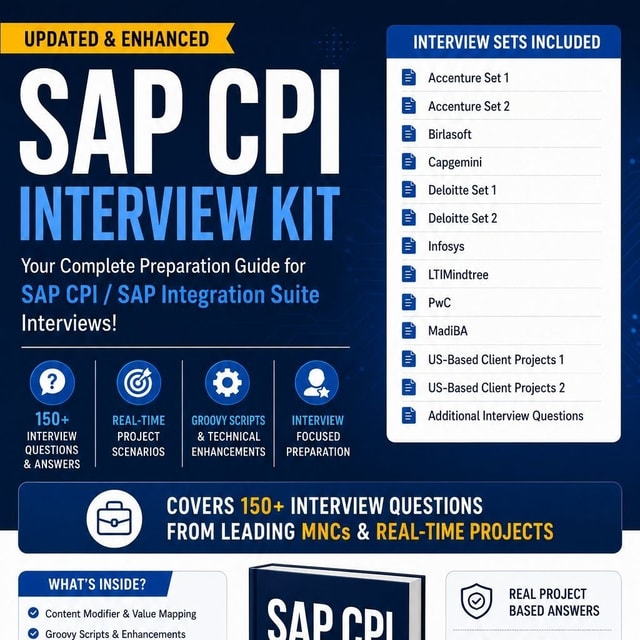
SAP CPI Developed iFlows + Interview Kit
END2END_REALTIME_IFLOWS
Frequently asked questions
What is SAP CPI?
SAP CPI (SAP Cloud Platform Integration) is SAP's cloud-based integration platform, now offered as part of SAP Integration Suite on SAP BTP. It is used to connect SAP and non-SAP applications across cloud and on-premise landscapes by building integration flows (iFlows) that route, transform, enrich, and exchange data securely. It supports adapters such as HTTP, SOAP, SFTP, IDoc, and OData, and is currently one of the most in-demand integration skills in India for both freshers and experienced SAP consultants.
How does SAP CPI work?
In SAP CPI, you design an integration flow (iFlow) in a web-based editor by adding sender and receiver adapters along with processing steps such as routers, content modifiers, splitters, mappings, and exception handling. Once deployed to your tenant, the iFlow processes messages in real time — receiving data from the source system, transforming it into the format the target system expects, and delivering it — while message monitoring lets you track every message, view payloads at each processing step, and handle errors or retries.
How to crack the SAP CPI interview?
Focus equally on concepts and hands-on practice. Be able to build and explain end-to-end iFlows (for example, SFTP-based file processing or API-based integrations), and master frequently asked topics: adapters, router vs splitter, content modifier vs content enricher, exception subprocesses, message mapping, Groovy scripting, externalized parameters, security (certificates, SFTP keys, OAuth), and message monitoring. Prepare two or three real project scenarios you can walk the interviewer through, and validate your readiness with mock interviews, since interviewers in India increasingly test practical scenario handling rather than just definitions.
What are the most common SAP CPI interview questions and answers?
Frequently asked ones include: What is SAP CPI and how is it different from SAP PI/PO? Explain the structure of an iFlow. What is the difference between a router and a splitter? How do you handle errors using an exception subprocess? When do you use Groovy or XSLT mapping? How do externalized parameters work? How do you secure messages using certificates or OAuth? How do you monitor and troubleshoot failed messages? Instead of memorizing definitions, prepare each answer with a short real-time example — that is what separates selected candidates from rejected ones.
Are SAP CPI interview questions for freshers different from SAP CPI interview questions for experienced candidates?
Yes. Freshers are usually tested on fundamentals — what SAP CPI is, basic iFlow design, adapters, simple mappings, and general integration concepts — along with learning attitude. For experienced candidates (typically 2–4+ years), interviewers dig into real project exposure: complex end-to-end scenarios handled, Groovy scripts written, error-handling and performance design, security implementation, tenant-to-tenant transport, and migration from PI/PO. What changes with experience is the depth of "what you actually built and why."
Where can I get a reliable SAP CPI interview questions and answers PDF?
Several SAP CPI mentors and training platforms offer downloadable interview preparation PDFs, and some mentors also sell ready-made interview kits that bundle scenario-based questions with resume and project details. Whatever source you choose, check that the PDF covers experience-level-specific questions (fresher vs 2–4 years), real-time scenario answers, iFlow design explanations, and a few Groovy snippets. Avoid plain question dumps without explanations, because interviewers almost always ask follow-up "why" and "how" questions.
How do I start learning SAP CPI as a beginner?
Begin with the basics — what SAP CPI is, how the tenant works, and a simple point-to-point iFlow — and then progress to adapters, message mapping, routers, splitters, and error handling. A structured SAP CPI tutorial for beginners that follows a build-as-you-learn approach works far better than scattered reading. Watching a step-by-step SAP CPI tutorial video where an instructor builds real iFlows end to end helps you see the tool in action, and you should replicate each scenario hands-on using a BTP trial or your company tenant.
How to create an iFlow in SAP CPI?
Log in to the CPI Web UI, open the Design workspace, and create or open an integration package. Click Create → Integration Flow, give it a meaningful name, then add a sender and receiver with the adapters you need (HTTP, SFTP, IDoc, OData, etc.). Wire in the processing steps — router, content modifier, message mapping, request-reply — between them, save, and deploy. Once deployment completes, you can check the status and endpoint under Monitor → Integrations → Manage Integration Content.
How to unlock an iFlow in SAP CPI?
An iFlow usually appears locked when another developer has it open for editing or a previous editing session did not close properly. First, check with your team whether someone is working on it — their save or close will release it. If a crashed session left the lock behind, close the editor, refresh, and reopen the iFlow; in persistent cases, redeploy the artifact or ask your tenant admin to clear the lock. As a best practice, never have two developers editing the same iFlow version at the same time, since the last save overwrites the other person's changes.
How to import an iFlow in SAP CPI?
In the source tenant, open the Design workspace, select the package, and use Actions → Export to download the iFlow or the whole package as a .zip file. In the target tenant, go to the Design workspace, click Import, and upload the .zip — the iFlow gets created inside the selected package, after which you configure externalized parameters and deploy it. For regular movement across Dev, QA, and Prod tenants, teams normally use the built-in Transport option (CTS+ or Cloud Transport Management) instead of manual export and import.
Where can I find real-time SAP CPI iFlow examples?
Start with SAP's official integration packages, which contain ready-to-use iFlows for common patterns, along with community blogs that walk through specific scenarios. Several SAP CPI mentors also share or sell end-to-end real-time iFlow bundles — such as SFTP-based file processing, SuccessFactors-to-S/4HANA integrations, and API-led scenarios — which you can import, study, and rebuild. Practicing five to six such end-to-end SAP CPI iFlow examples is one of the fastest ways to become both project-ready and interview-ready.
What naming convention should I follow while building SAP CPI iFlows?
Most teams follow a pattern like ProjectName_InterfaceName_Sender_Receiver_Version — for example, FIN_InvoiceSFTP_S4HANA_v1 — using underscores instead of spaces, consistent casing, and meaningful package names. A consistent SAP CPI iFlow naming convention matters because iFlow names appear in message monitoring, transports, and project documentation, making troubleshooting far easier. Interviewers often ask this question to check whether you have worked in a real project environment rather than only done tutorials.
What are SAP CPI iFlow externalized parameters and why are they used?
Externalized parameters let you configure values such as endpoint addresses, credential names, file directories, and router conditions outside the iFlow itself, environment by environment. This means the same iFlow can be transported from Dev to QA to Prod without editing it — you simply set the environment-specific values under Monitor → Integrations → Configure. This is a standard interview topic because using SAP CPI iFlow externalized parameters correctly shows real project discipline, and hardcoding values is treated as a design mistake.
Why is my SAP CPI iFlow stuck in processing?
A message that remains in "Processing" status usually means the iFlow is waiting on something — most commonly a slow or unresponsive external endpoint in a request-reply step, very large payloads, or an unusually long-running processing step. Check Message Monitoring for that message, open the log attachments to see the last completed step, and verify the target system's response time. If messages stay stuck indefinitely, undeploy and redeploy the iFlow, restart the affected messages, and if the issue repeats, raise it with SAP support with the message ID and MPL details.
How do I call an SAP CPI iFlow API?
Deploy an iFlow with an HTTP or SOAP sender adapter, and CPI generates the endpoint URL for it, which you can copy from Manage Integration Content. You can then call that endpoint from Postman, a partner system, or an application, passing the required authentication — basic, client certificate, or OAuth, depending on how the sender adapter is configured. For external or governed exposure, place SAP API Management in front of the iFlow so you can apply policies like rate limiting and additional security, and always confirm the call by checking the message status in monitoring.