Testimonials
Services
Frequently asked questions
What is travel vlogging?
Travel vlogging is creating video content that documents your journeys — destinations, food, culture, and personal experiences — and editing that footage into engaging stories for platforms like YouTube and Instagram. A typical travel vlog combines cinematic shots, voiceovers, music, and consistent color grading to give the video a distinct look and feel.
How to travel vlog as a beginner?
Start with the gear you already have — a phone is enough. Focus on telling one clear story per video: your arrival, exploration, food, and reactions. Keep clips steady, capture clean natural audio, learn basic editing and color grading as you go, and publish consistently instead of waiting for perfect equipment or the perfect trip.
How do travel vloggers make money?
The most common income streams are YouTube ad revenue, brand sponsorships and paid collaborations with tourism boards, hotels, and travel brands, affiliate marketing, and selling digital products such as presets and LUTs. Many experienced creators also earn by teaching — through workshops, 1:1 sessions, and freelance content creation for brands.
Is travel vlogging worth it?
Yes, if you enjoy filming and storytelling — it builds a creative portfolio, can open doors to brand deals, and can eventually generate income. But monetization takes time; most channels need consistent uploads, a clear niche, and a loyal audience before revenue becomes meaningful. Treat the first 6–12 months as a skill-building phase.
What is the best travel vlogging camera?
There is no single best camera — prioritize what matters for travel: a lightweight body, good stabilization, a flip screen, reliable battery life, and decent low-light performance. Depending on your budget, that could be an action camera, a compact vlogging camera like the Sony ZV series, or even a flagship smartphone. Choose based on whether you shoot more talking-head footage or cinematic b-roll.
What is the essential travel vlogging equipment for beginners?
You need far less than you think: a phone or basic camera that shoots good video, a small tripod or grip, a clip-on or wireless mic for clear audio, spare batteries and storage, and a comfortable bag. Audio quality matters more than 4K resolution — viewers forgive slightly soft visuals far more than bad sound. Add gear gradually as your style develops.
What are some good travel vlogging channel name ideas?
The best names are short, easy to spell, easy to pronounce, and memorable. Popular patterns combine your name or nickname with a travel word (wanders, journeys, off the map, explored), or use a unique two-word brand name. Pick something broad enough to grow beyond one destination, and check that the YouTube and Instagram handles are available before finalizing.
What is color grading?
Color grading is the process of adjusting the colors, contrast, and tone of your footage to create a specific mood or style — for example, a warm cinematic look or a clean, natural feel. It comes after color correction (fixing exposure and white balance) and is what gives professional travel videos their consistent, polished appearance.
What is a LUT?
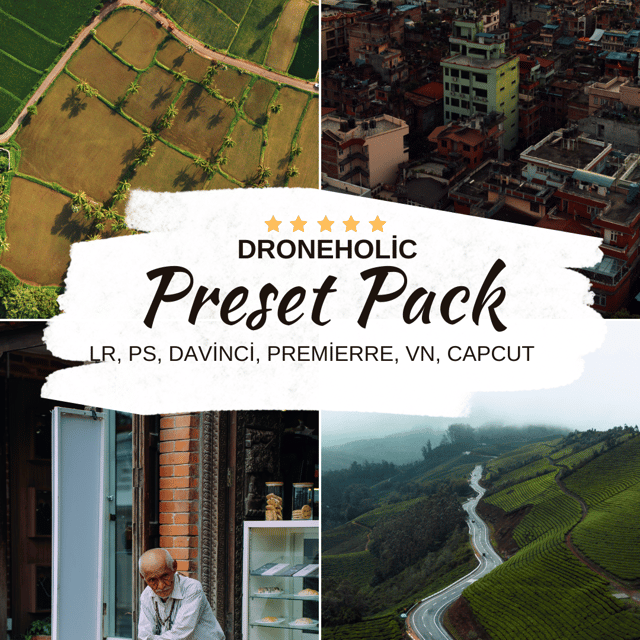
A LUT (Look-Up Table) is a preset file that transforms the colors in your footage into a specific look instantly. You apply it over your clips in editors like Premiere Pro, DaVinci Resolve, or mobile editing apps, and then fine-tune it. LUTs work best on flat or log footage, followed by small adjustments to exposure and saturation.
How to color grade with LUTs?
First, do basic corrections — fix exposure, contrast, and white balance. Then apply the LUT through your editor's creative look or LUT slot, reduce its intensity to around 50–80% so it doesn't look artificial, and adjust saturation, shadows, and highlights to match each clip. Shooting in a flat color profile gives LUTs the cleanest base to work with.
How to color grade without LUTs?
Use your editor's manual tools — color wheels, curves, and HSL selectors. Start by balancing exposure and white balance, then push shadows and highlights toward your chosen palette and fine-tune skin tones so they stay natural. It takes longer than using LUTs, but it gives you full control and a look that is uniquely yours.
Are free color grading LUTs good enough?
Free LUTs are fine for learning and experimenting, but they are usually generic — built for average footage, inconsistent across different clips, and prone to crushing skin tones. Paid LUT packs are typically tested across multiple cameras and lighting conditions and often come with guidance on how to use them. Start free, then invest once you want a consistent signature look.
Can I use the same color grading LUTs for CapCut and Premiere Pro?
In most cases, yes. Standard .cube LUT files work across CapCut, Premiere Pro, DaVinci Resolve, and most other editors — you import them through CapCut's custom filter option or the LUT section in desktop software. Always check the format a LUT pack is sold in; a good pack will include the universal .cube version that works everywhere.
Is video editing in mobile enough, or do you need video editing software?
For Reels and YouTube Shorts, mobile editing is completely enough — modern apps handle cuts, music, captions, transitions, and even LUTs well. You only need desktop video editing software when projects get longer or more demanding: multi-layer timelines, heavy color grading, precise audio work, and faster exports. Many travel creators use a hybrid approach — quick edits on mobile, detailed projects on a laptop.
Is a video editing course worth it?
If you are piecing together random tutorials and still getting inconsistent results, a structured course or workshop can save months of trial and error by teaching workflow, editing, and color grading in the right order. Self-teaching works if you are disciplined, but guided learning — especially a hands-on workshop with feedback on your actual footage — is worth it when you want faster progress or plan to earn from your content.