Testimonials
Services
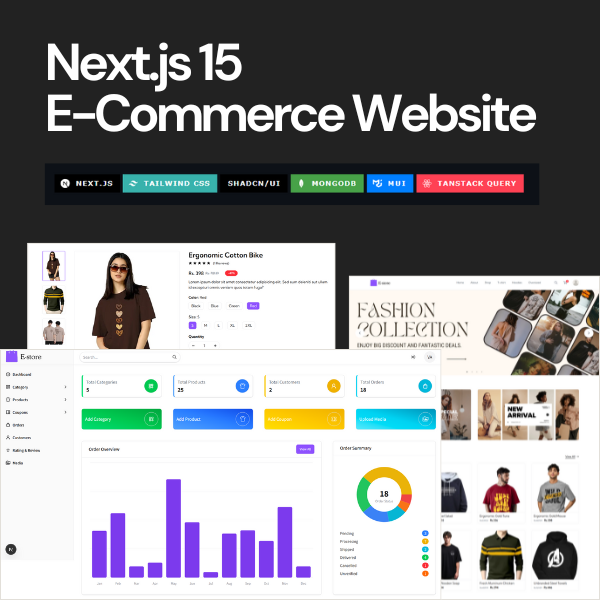
Next.js 15 E-commerce Website With Admin Panel
About me
- Developer Goswami - YouTubehttps://www.youtube.com/@developergoswami

Frequently asked questions
What is the MERN stack?
The MERN stack is a popular JavaScript technology stack for building full-stack web applications. It combines four tools: MongoDB for the database, Express.js for the backend API, React for the frontend user interface, and Node.js as the runtime environment. Since the entire application runs on one language, developers can move easily between frontend and backend work, which is a big reason the MERN stack is widely taught in colleges and used by startups in India.
Why use the MERN stack for web development?
The biggest advantage is using a single language across the entire application, so you don't need separate technologies for frontend and backend. React gives you reusable components, Node.js and Express make API development quick, and MongoDB stores data in JSON-like documents that map directly to your code. There is also a massive community, endless learning material, and strong demand for MERN developers in the Indian job market, which makes it a safe default choice for beginners and students.
How to run a MERN stack project in VS Code?
Open the project folder in VS Code and launch the built-in terminal. Most MERN projects have a separate client (React) and server (Node/Express) folder — run npm install inside both, add a .env file with your MongoDB connection string, port, and API keys, then start the backend with npm start or npm run dev and the frontend in a second terminal. Always check the README first, because most MERN stack projects list the exact commands and required environment variables there. If you get a connection error, the MongoDB Atlas IP whitelist or connection string is usually the culprit.
How to deploy a MERN stack project?
Deploy each part where it works best: the React frontend on Vercel or Netlify, the Node/Express backend on Render or Railway, and the database on MongoDB Atlas, all of which have free tiers to start with. After connecting your GitHub repository, set the environment variables on the hosting dashboard — especially the API base URL and database URI — and configure CORS so the frontend can call the backend. Most deployment failures come from missing environment variables or wrong API paths, so test every live endpoint before submitting or sharing the link.
What are some good MERN stack projects for beginners?
Some proven MERN stack project ideas for beginners are a to-do or notes app with login, a personal blog with an admin panel, an expense tracker, a recipe app with search and filters, and a simple online store with a cart. A good MERN stack project for beginners should cover the fundamentals: CRUD operations, REST APIs, authentication, and connecting React to Express and MongoDB. Finish one complete project instead of starting five, and deploy it live so you learn that process too.
What are the best MERN stack projects for final year students?
Final year evaluators want to see a real-world problem solved end to end, so pick something with user roles and a dashboard: a college event management system, an online examination portal, a job or internship portal, a hospital appointment booking system, or an e-commerce store with payments. The strongest MERN stack projects for final year students include proper database design, JWT authentication, an admin panel, and a live deployment link — a working demo impresses examiners far more than screenshots in a report.
What are the best MERN stack projects for a resume?
Choose projects that look like real products: an e-commerce website with a payment gateway and admin panel, a job board with separate recruiter and candidate logins, a social feed with likes and comments, or a SaaS-style analytics dashboard. Recruiters care that the project is deployed, has a clean GitHub README, and handles real functionality like authentication and payments. Two polished MERN stack projects for a resume are worth more than ten incomplete ones, so focus on depth and deployment.
Where can I find MERN stack projects with source code?
You'll find thousands of MERN stack projects on GitHub — search the "mern" topic, sort by recently updated repositories, and check that each repo includes a README with setup steps and a working demo link. YouTube full-build tutorials and free coding platforms also share complete code you can download and run. If you need a production-ready project quickly, some developers also sell complete source code with documentation and setup support, which is useful when a submission deadline or client deadline is close.
What is Next.js used for?
Next.js is a React framework used to build fast, SEO-friendly web applications. It powers marketing websites, blogs, dashboards, SaaS products, and especially e-commerce stores, because it supports server-side rendering, static generation, and API routes in a single project. For an online store, that means faster page loads and product pages that search engines can index properly — one of the main reasons developers now prefer building e-commerce with Next.js over plain React.
How to learn Next.js as a beginner?
Make sure your JavaScript and basic React skills are solid first, since Next.js builds directly on top of React. Then follow the official interactive course to understand routing, data fetching, and rendering, and learn by building — convert a small React app into Next.js and deploy it on Vercel. If you prefer video lessons, searching for a Next.js tutorial in Hindi on YouTube works well too, since many Indian creators teach it step by step; just make sure you build a project alongside the videos instead of only watching.
Where can I find a good Next.js e-commerce template?
GitHub has open-source starters you can clone for free, theme marketplaces sell polished premium versions, and independent developers offer complete packages that include an admin panel and documentation. Before using any free Next.js e-commerce template, check which Next.js version it's built on, whether payments (Stripe or Razorpay) are already integrated, and whether the code is clean enough to customize — an outdated template can cost you more time than building from scratch.
How do I build a Next.js e-commerce website with an admin panel?
Build it in stages: create the product catalogue and product pages first, then add a cart, user authentication, and a payment gateway like Stripe or Razorpay, and finally an admin panel to manage products, orders, and inventory from one dashboard. Next.js API routes let you handle the backend in the same codebase, which keeps the project simpler to manage and deploy. Many developers also start from a complete Next.js e-commerce project and customize it to their needs, which is a practical way to ship faster while still learning from clean, working code.