Testimonials
Services
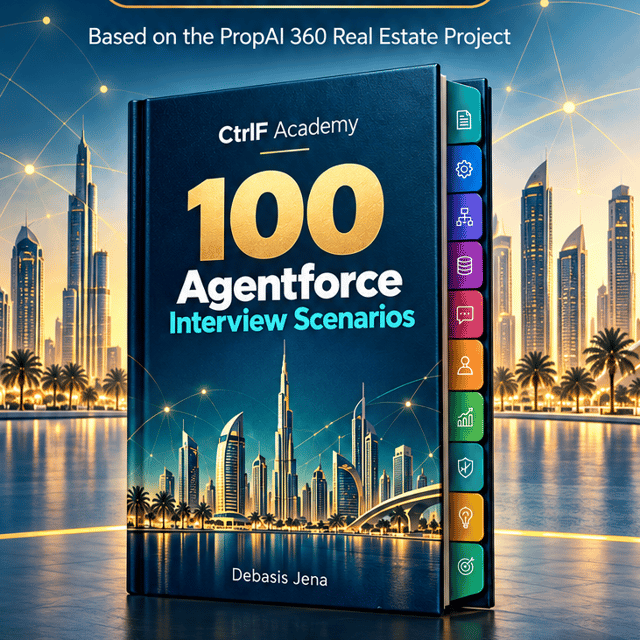
100 Agentforce Interview Questions & Answers
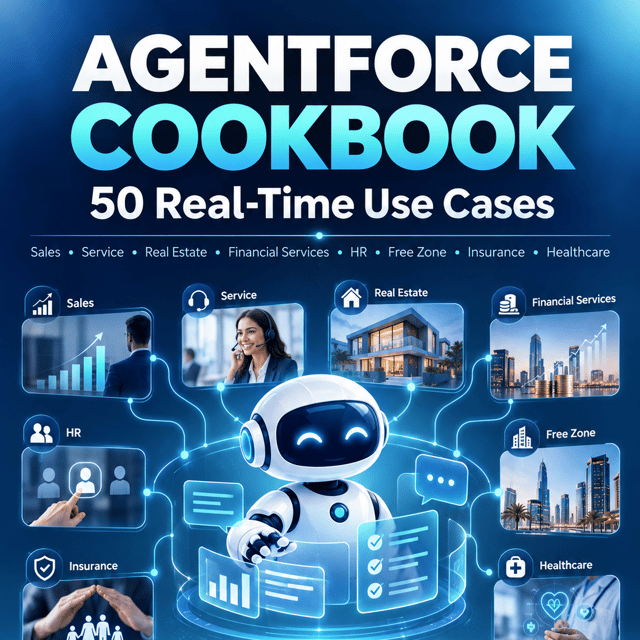
Agentforce Cookbook: 50 Real-Time Use Cases
About me
- Debasis is noted for his knowledge and humility. Bookers appreciate him, expressing happiness and satisfaction.
 AI-generated based on testimonials
 - Debasis played a pivotal role in transforming our Salesforce environment. His technical expertise in Salesforce development, innovative problem-solving skills, leadership, commitment to quality, and continuous improvement have made a significant impact on our team's success. Debasis's deep understanding of Salesforce and his proactive professional development are invaluable assets.AI-generated from recommendations on

Frequently asked questions
How to learn Salesforce LWC as a beginner?
Start with HTML, CSS, and JavaScript fundamentals since LWC is built on modern web standards, then move to Trailhead's Lightning Web Components modules. Build small hands-on components in a free Developer org — a record list, a search bar, a form — and learn decorators like @api and @wire, lifecycle hooks, and how to call Apex from a component. Practising in a real org consistently is the fastest way to learn Salesforce LWC.
How to create LWC in Salesforce?
You need VS Code with the Salesforce Extension Pack and Salesforce CLI. Authorise your Developer org, scaffold the component (which generates the HTML, JS, and XML files), push it to your org, and expose it in the meta.xml file so you can drag it onto a Lightning page in App Builder. Unlike Aura, LWC cannot be created directly from the Developer Console.
How to debug LWC in Salesforce?
First enable Debug Mode in Setup so your JavaScript isn't minified, then open Chrome DevTools to inspect console logs, set breakpoints, and check the Network tab for failed @wire or Apex callouts. The Lightning Inspector extension helps you view component properties and events, and for server-side issues, review the Apex debug logs. Most bugs come from undefined wire data, incorrect API names, or reactive variables not updating as expected.
What is a Salesforce LWC developer?
A Salesforce LWC developer specialises in building user interfaces using the Lightning Web Components framework — reusable components, Lightning pages, base components, and Lightning Data Service — while wiring everything to Apex controllers and SOQL behind the scenes. The role needs strong JavaScript and HTML, Apex, Git, and deployment knowledge, and it is one of the most in-demand Salesforce development skills today.
What is LDS in Salesforce LWC?
LDS stands for Lightning Data Service. It is a caching layer in Salesforce LWC that lets you create, read, update, and delete records without writing Apex, using wire adapters like getRecord or components like lightning-record-edit-form. It respects sharing rules and field-level security automatically, shares cached data across components, and reduces server calls, which improves performance.
What are the most commonly asked Salesforce LWC interview questions?
The most asked Salesforce LWC interview questions cover Aura vs LWC differences, decorators (@api, @track, @wire), lifecycle hooks like connectedCallback and renderedCallback, parent-to-child and child-to-parent communication, Lightning Message Service, @wire versus imperative Apex calls, lwc:if rendering, and LDS versus Apex for data operations. For 3+ years of experience, expect scenario-based questions on performance and component design.
What are the important Salesforce LWC best practices?
Key Salesforce LWC best practices include keeping components small and focused with composition, using base lightning-* components for accessibility and locked styling, preferring LDS over custom Apex for record CRUD, handling errors from wire adapters and Apex calls, avoiding deeply nested components and heavy DOM structures, using Lightning Message Service only when needed, and writing bulkified, test-covered Apex behind your components.
How to learn Salesforce integration?
To learn Salesforce integration, start with REST and SOAP APIs and JSON handling, then move to Apex callouts with Named Credentials, OAuth through Connected Apps, Platform Events, Change Data Capture, Bulk API, and standard integration patterns like request-reply and fire-and-forget. Build hands-on projects — expose an Apex REST service, consume an external API, and set up a middleware simulation — using Trailhead and the official integration developer guide.
What are the standard Salesforce integration patterns?
The standard Salesforce integration patterns are Request & Reply (a synchronous callout that waits for a response), Fire & Forget (near-real-time processing via Platform Events without waiting), Batch Data Sync (scheduled bulk data movement through ETL tools or Bulk API), and Remote Call-In (external systems calling into Salesforce through its REST or SOAP APIs). The right choice depends on latency needs, data volume, and error-handling requirements.
What is a Salesforce integration user license?
A Salesforce integration user license is a special license type meant for non-human, system-to-system connections — middleware, ETL tools, or integration applications — that need API access without a full CRM seat. Best practice is to give each external system its own dedicated integration user under this license with a least-privilege profile and permission sets, so you can monitor API usage and revoke access cleanly if a connection is compromised.
How to create a Salesforce integration user?
To create a Salesforce integration user, go to Setup → Users → New User, assign a license that supports API access (such as the Salesforce integration license), and attach a profile with API Enabled — or the API Only User permission if it should never log in through the UI. Add permission sets for object access, set IP restrictions, and generate credentials through a Connected App for the external system. Create one dedicated user per integration rather than sharing credentials.
How to integrate Salesforce with Outlook?
You can integrate Salesforce with Outlook using the native Outlook integration: enable it in Setup for the relevant profiles, then users install the Salesforce add-in from Microsoft AppSource and connect their Microsoft 365 or Exchange account. Einstein Activity Capture then syncs emails, events, and contacts and shows related Salesforce records right inside Outlook. Note that the older Salesforce for Outlook desktop plugin is retired, so existing users should migrate to this newer integration.
Which Salesforce interview questions for freshers are asked most often?
The Salesforce interview questions for freshers usually cover what Salesforce is and its cloud model, standard vs custom objects, relationships between objects, profiles vs permission sets, OWD, sharing rules and role hierarchy, record types, workflow vs Flow, basic triggers and SOQL, governor limits, and reports and dashboards. Interviewers also like seeing Trailhead badges and hands-on projects, so build something in a Developer org and practise explaining it out loud.
What are the important Salesforce interview questions for 5 years experience?
Salesforce interview questions for 5 years experience are scenario-based: trigger frameworks and bulkification, asynchronous Apex (Batch, Queueable, Scheduled, Future) with chaining and limits, integration design with callouts, Named Credentials and error handling, LWC architecture decisions, test coverage and mocking, deployment via SFDX and CI/CD, data migration at scale, and trade-off questions on when to choose declarative tools over custom code.
How do I become a Salesforce integration architect?
To become a Salesforce integration architect, first build a strong developer foundation in Apex, APIs, and data modelling, then master integration technologies — REST/SOAP, Platform Events, Change Data Capture, Bulk API, and middleware like MuleSoft — along with security standards such as OAuth and SAML. Gain experience designing end-to-end integration solutions, work toward the architect certifications in the Application Architect path, and document real project case studies you can discuss in interviews.