Testimonials
Services

About me
Frequently asked questions
What is HTML, CSS, and JavaScript called?
HTML, CSS, and JavaScript are collectively called front-end technologies, often shortened to "the front end." So when someone asks what is HTML, CSS, and JavaScript called, the simple answer is: they are the building blocks of the web, and job posts usually group them under front-end developer skills.
What is HTML, CSS, and JavaScript used for?
Each one has a separate job, which is why people ask what is HTML, CSS, and JavaScript used for. HTML builds the structure of a page (headings, text, images, buttons), CSS styles that structure (colours, layouts, fonts, responsiveness), and JavaScript adds behaviour (form validation, sliders, live search, and anything that reacts to the user). Every website you open, from Flipkart to Zomato, runs on this combination.
How long does it take to learn HTML, CSS, and JavaScript?
There is no fixed duration, but anyone with a clear plan for how to learn HTML, CSS, and JavaScript can get comfortable in roughly 3–6 months with 1–2 hours of daily practice. A common breakdown is HTML in 2–3 weeks, CSS in 4–6 weeks, and JavaScript in 2–3 months, since JavaScript is the deepest of the three.
How do I connect HTML, CSS, and JavaScript in one project?
Here is how to connect HTML, CSS, and JavaScript inside one project: link your CSS file using the <link> tag in the head section, and attach your JavaScript file using the <script> tag just before the closing body tag. Keep all three files in one folder with clear names so the paths never break. For quick experiments, an HTML, CSS, and JavaScript online compiler like CodePen, JSFiddle, or Programiz lets you run all three in a single browser tab without creating any files.
What HTML, CSS, and JavaScript projects should I build as a beginner?
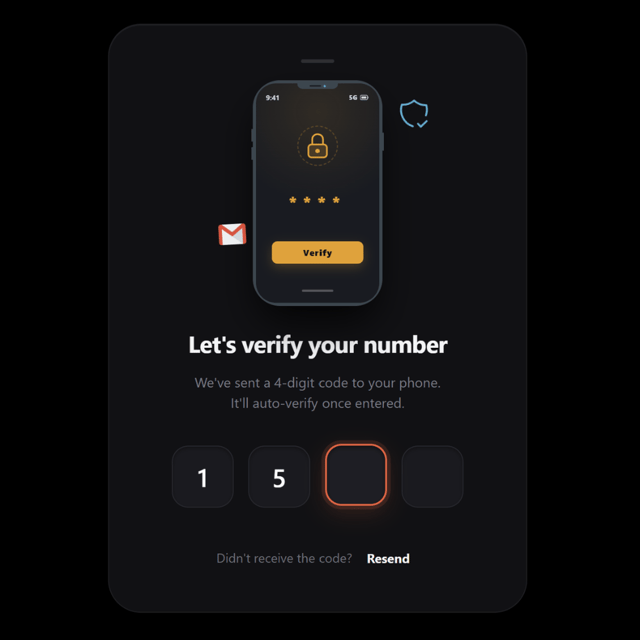
Strong beginner HTML, CSS, and JavaScript projects include a personal portfolio, a to-do list, a calculator, a quiz app, a weather app, a responsive landing page, and an OTP verification screen. Finish each project completely and push it to GitHub, because five finished projects impress far more than ten abandoned ones.
Which HTML, CSS, and JavaScript interview questions should freshers prepare?
The most common HTML, CSS, and JavaScript interview questions for freshers revolve around semantic HTML tags, the CSS box model, flexbox vs grid, position and display properties, var vs let vs const, hoisting, closures, event bubbling, and == vs ===. Practise explaining these aloud and solve one live coding problem every day before interviews.
Where can I find good HTML, CSS, and JavaScript notes for revision?
The best approach is to make your own HTML, CSS, and JavaScript notes as you learn, because self-written notes stick the longest. Supplement them with MDN and W3Schools for reference, and keep a one-page CSS cheatsheet handy before tests or interviews. If you prefer deeper reading, pick an HTML, CSS, and JavaScript book that teaches through mini projects instead of pure theory.
How can I learn web development for free?
If you are searching how to learn web development for free, the biggest mistake is hoarding resources. Pick one free tutorial or course playlist, finish it end to end, and build a small project after every module. You also don't need a paid HTML, CSS, and JavaScript course to become job-ready — consistency and real projects matter far more than fees.
Can I learn web development for free and still get a certificate?
Yes — it is completely possible to learn web development for free with a certificate. Platforms like freeCodeCamp offer full curricula and certificates at no cost, and several Indian upskilling platforms also run free certificate courses in frontend basics. Just remember that recruiters weigh your live GitHub projects far more heavily than certificates.
How do I start learning web development from scratch?
Wondering how to learn web development from scratch? Follow this sequence: HTML → CSS → JavaScript → responsive design → Git and GitHub → small projects → then React or another framework. Assign a mini project to every stage and code daily — even 30 focused minutes a day beats a five-hour weekend binge.
What is required to learn web development?
Most beginners overestimate what is required to learn web development — in reality, you only need a basic laptop (4–8 GB RAM is enough), a browser, a free editor like VS Code, and an internet connection. No computer science degree, paid software, or prior coding experience is required to start.
What is the best way to learn web development?
Ask ten developers and you will get ten answers — so what is the best way to learn web development? Almost everyone agrees on one thing: people genuinely learn web development by building projects, not by passively watching tutorials. Tutorials give you the map, but building forces you to debug, search for errors, and think like a real developer.
Is it a good idea to learn web development with AI tools like ChatGPT?
Yes — it is fine to learn web development with AI tools, as long as you use them to understand and debug rather than to copy-paste. Ask AI to explain error messages, review your CSS layout, or quiz you on concepts, but always write the first version of the code yourself. Otherwise you may end up with strong chatting skills and weak coding skills.
Which front end web development tutorial for beginners should I start with?
Choose a front end web development tutorial for beginners that covers HTML, CSS, and JavaScript in one continuous sequence and makes you build something after every module. Avoid hopping between multiple tutorials — finishing one in full beats starting five. If you like studying offline or on your phone, pair it with a front end development tutorial PDF or an ebook for quick revision.
When should I start a React front end development tutorial?
Start a React front end development tutorial only once your JavaScript fundamentals are solid — variables, functions, arrays, objects, ES6 features, and DOM manipulation. Jumping into React too early makes props, state, and hooks feel like magic you can't control. Once you begin, rebuild small interfaces you have already made, such as a to-do app or an OTP input screen, using React.