Testimonials
Services
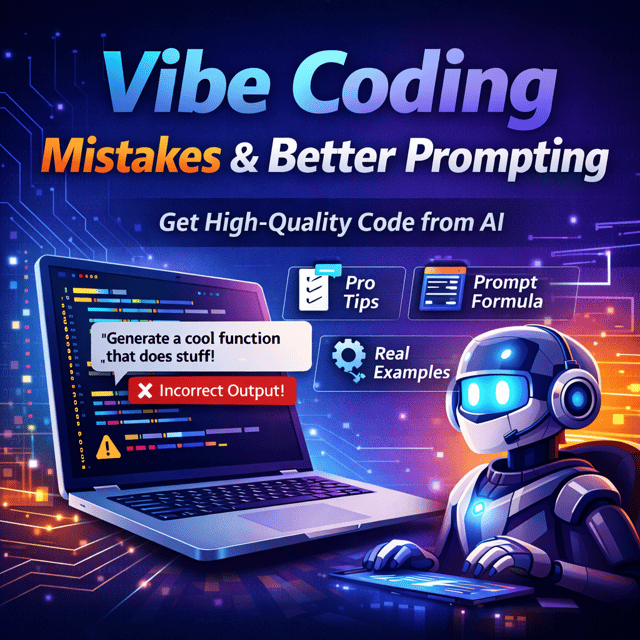
Vibe Coding Mistakes & Better Prompting
OmniStudio Deployment
Project Requirement Exploration
Have a question?
Discussion over Coffee
Salesforce Flow Consultancy
About me
- Panther Schools(SFDCPanther 2.O) - YouTubehttps://www.youtube.com/@pantherschools
- Amit Singh excels in sharing practical Salesforce insights, offering engaging, informative sessions, and providing valuable, proactive advice to the community.
 AI-generated based on testimonials

Frequently asked questions
How to become a Salesforce developer?
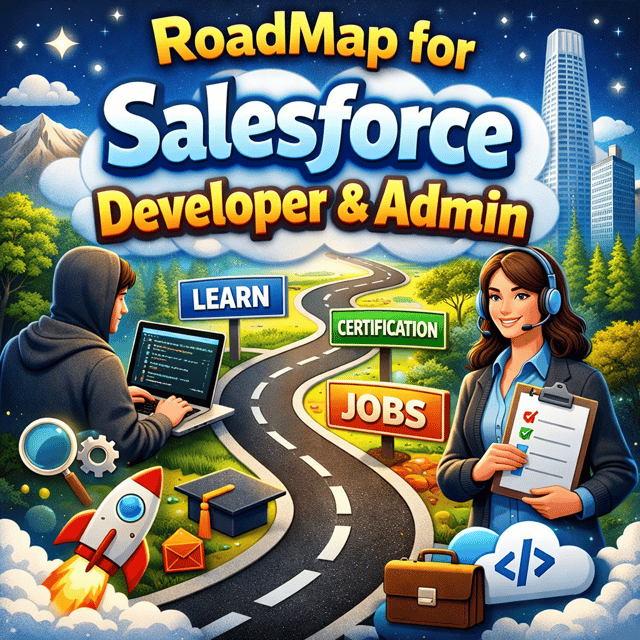
Start with Salesforce fundamentals — data modelling, security, and automation — then move into Apex, SOQL, and Lightning Web Components (LWC). Practise on a free developer org, build small hands-on projects, and earn the Platform Developer I certification to validate your skills. Following a structured roadmap matters more than watching random tutorials, and if you want a personalised plan, a 1:1 session with an experienced Salesforce Architect can save you months of confusion. Once your basics plus coding are solid, you can confidently start applying for Salesforce developer jobs in India.
What does a Salesforce developer do?
A Salesforce developer builds and customises solutions on the Salesforce platform. Day to day, this includes writing Apex classes and triggers, building user interfaces with Lightning Web Components, automating business processes using Flow, integrating Salesforce with external systems through APIs, and debugging issues or performance problems. They work closely with admins, business analysts, and architects to convert business requirements into working features.
What is the Salesforce developer salary in India?
Salaries depend on skills, certifications, and city, but the typical range is around ₹4–8 LPA for freshers, ₹10–18 LPA for developers with 3–5 years of experience, and ₹20 LPA and above for senior developers and architects. Skills like LWC, OmniStudio, integrations, and advanced Flow knowledge push you into higher bands, and product companies generally pay more than services firms for the same experience level.
How to create a Salesforce developer account?
Sign up on the Salesforce developers website for a free Developer Edition org — you only need an email address. Fill in your details, choose a username in email format, verify your account through the confirmation mail, and set a password. The Developer Edition org is free for life and includes most platform features, which makes it ideal for learning, practising, and building portfolio projects.
What are the most common Salesforce interview questions for freshers?
Freshers are mostly tested on fundamentals: lookup vs master-detail relationships, profiles vs permission sets, record types, when to use Flow instead of Apex, trigger basics, and simple SOQL queries. For coding roles, the Salesforce developer interview questions begin with these same basics and add small Apex or LWC scenarios. Prepare two mini projects you can explain confidently, because interviewers check clarity of basics more than advanced depth at this stage.
What are the common Salesforce interview questions for 5 years experience?
At this level, interviewers move past definitions and test depth — expect questions on bulkification and governor limits, asynchronous Apex (Batch, Queueable, Scheduled), trigger frameworks, integration patterns like REST, SOAP, and Platform Events, LWC architecture, and the design trade-offs you made in real projects. Scenario-based questions dominate, so prepare detailed stories covering the problem, your approach, and measurable outcomes. Rehearsing through a mock interview with a senior architect helps you handle these rounds far more confidently.
What are the most asked Salesforce Flow interview questions?
Frequently asked ones include: record-triggered vs scheduled vs auto-launched flows, when to use subflows, how entry conditions work, how to prevent recursion, error handling in flows, limitations of Get Records, and when to choose Flow over Apex. Interviewers also give scenarios like automating an approval-style process or updating related child records, so building these flows hands-on in a developer org prepares you better than reading answers alone.
What are the important Apex interview questions in Salesforce?
The core topics are triggers (before vs after context and bulkification), governor limits, SOQL vs SOSL, asynchronous Apex (Batch, Queueable, Future, Scheduled), exception handling, test classes and code coverage, and the Salesforce order of execution. Expect at least one live coding task, usually writing a bulk-safe trigger or fixing a SOQL query placed inside a loop, so practise writing code rather than only reading theory.
Which LWC interview questions in Salesforce are most commonly asked?
The most common ones cover lifecycle hooks (connectedCallback, renderedCallback, disconnectedCallback), decorators like @api, @wire and @track, parent-to-child and child-to-parent communication, Lightning Message Service, why LWC performs better than Aura, and how reactivity works. Interviewers often ask you to build or explain a small component live, so working on a hands-on LWC project — even a simple CRUD app — lets you answer with real examples instead of memorised definitions.
What is Salesforce Flow and why is it important in automation?
Salesforce Flow is the platform's declarative automation tool that lets you automate processes — updating records, sending alerts, or guiding users through screens — without writing code. A quick related answer: what is Salesforce Flow Builder? It is the drag-and-drop canvas where you design these automations using elements like Get Records, Decision, Assignment, and Loop. Flow matters because Salesforce is positioning it as the primary automation tool, gradually retiring Workflow Rules and Process Builder, so both admins and developers are expected to master it.
How to debug Salesforce flows?
Open the flow, click Debug, and run it as the user who faced the issue so you reproduce the exact same context. The debug view shows every element that executed along with the values entering and leaving it, which quickly reveals where a condition, assignment, or Get Records step fails. Check fault paths, null values from Get Records, and whether the record-triggered entry conditions were actually met. For stubborn issues, enable debug logs for that user and trace the flow interview line by line.
How to export a Salesforce flow?
Flows are metadata, so you can retrieve them using Change Sets between connected orgs, or with VS Code and the Salesforce Extensions for finer control. If you only need the flow XML quickly without setting up a full project, a Salesforce Flow metadata downloader extension can pull it directly from your org in a couple of clicks. Always export before making major changes, because the downloaded XML acts as a backup you can redeploy if anything breaks.
Can I learn Salesforce Flows on Trailhead?
Yes — Salesforce Flows on Trailhead are covered through dedicated modules and trails that teach Flow Builder concepts with hands-on challenges. Trailhead is excellent for learning the building blocks, but pair it with real practice in your developer org by recreating automations from real business scenarios. Interviews and client work test situational thinking, and that only comes from building flows end to end, not just completing badges.
What are the common vibe coding mistakes developers make?
The biggest mistakes are accepting AI-generated code without understanding it, writing vague prompts, skipping code reviews, not testing edge cases, and ignoring platform rules like governor limits in the Salesforce context. Treat AI output as a first draft: give clear context in every prompt, review each diff line by line, ask the AI to explain its logic, and run proper tests before merging. A focused guide on better prompting can fix most of these habits quickly, and this discipline is what separates clean deliveries from hidden technical debt.
How is OmniStudio deployment done in Salesforce?
OmniStudio components — FlexCards, OmniScripts, Integration Procedures, and DataRaptors — are not standard Salesforce metadata, so they cannot be moved using regular Change Sets or VS Code retrieval. They are migrated using tools like IDX Workbench or OmniStudio DataPacks, and components must be exported and imported in the correct dependency order between environments. Since environment mismatches are the most common reason deployments fail, teams usually validate with a deployment checklist or take expert help through a focused 1:1 session before pushing to production.