Testimonials
Services
Resume Audit Call
Real-Time SAP CPI FSD & TDD Explanation
SAP CPI Career and Technical Guidance
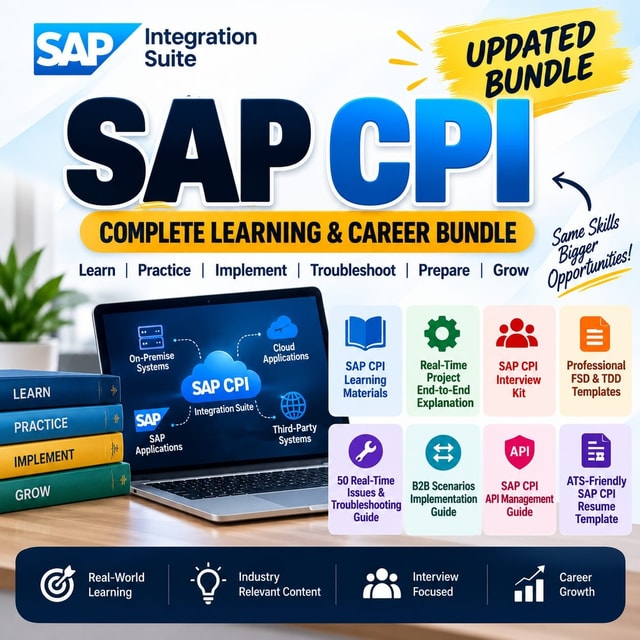
SAP CPI Complete Learning Bundle
SAP CPI COMPLETE COURSE
About me
Frequently asked questions
What is SAP CPI full form?
SAP CPI full form is SAP Cloud Platform Integration. It is SAP's cloud-based integration tool, now delivered as part of SAP Integration Suite on SAP Business Technology Platform, and is also referred to as SAP Cloud Integration.
What is SAP CPI integration?
SAP CPI integration refers to connecting SAP and non-SAP applications in the cloud using integration flows (iFlows). It is mainly used for real-time, message-based scenarios such as SuccessFactors to S/4HANA integrations, third-party API connections, and A2A/B2B processes, covering mapping, routing, and inbound/outbound communication.
How does SAP CPI work?
SAP CPI works through integration flows (iFlows) that you build in a web-based editor. Each iFlow defines the sender and receiver adapters, routing, mapping, and processing steps that a message passes through. Once deployed, every message is processed step by step and can be tracked, debugged, and monitored through the built-in monitoring dashboards.
How to create an SAP CPI trial account?
To create an SAP CPI trial account, sign up for a free SAP BTP trial, choose a region, and set up your subaccount. Many learners get stuck on how to access SAP Integration Suite after this — once your subaccount is active, subscribe to Integration Suite from the cockpit and open the Integration Suite home to start designing iFlows. Since SAP keeps updating its trial and free-tier options, always check the current availability for your region.
How to learn SAP CPI as a complete beginner?
The most practical way to learn SAP CPI is to combine theory with hands-on tenant access: start with integration basics, then practice building iFlows with standard adapters, message mapping, routing, and error handling. Once the basics are in place, move to real-time project skills like analyzing FSDs and TDDs, debugging, and end-to-end scenario design. Joining an SAP CPI community or working with a mentor speeds this up because you learn how real projects actually run.
How to crack an SAP CPI interview?
To crack an SAP CPI interview, be thorough with iFlow components, adapters, mapping techniques (graphical, XSLT, Groovy), error handling, and monitoring, and be ready to explain at least one end-to-end scenario clearly. Interviewers increasingly ask scenario-based questions instead of definitions, so practice walking through requirements the way you would from an FSD or TDD. Mock interviews help you structure answers under time pressure.
What are the most common SAP CPI interview questions?
Most SAP CPI interview questions cover iFlow building blocks, standard adapters, message mapping, content modifiers and routers, exception subprocesses, Groovy scripting, certificates and security, and message monitoring. Many candidates prepare from an SAP CPI interview questions and answers PDF, but scenario-based practice and explaining your reasoning aloud usually makes a much stronger impression.
What are the common SAP CPI interview questions for freshers?
Common SAP CPI interview questions for freshers focus on fundamentals: what CPI is and how it differs from PI/PO, what an iFlow is, standard adapters like HTTP, SOAP, SFTP, Mail, and SuccessFactors, simple mappings, content modifiers, routers, and basic monitoring. Freshers are rarely expected to know complex migrations or performance tuning — clear basics and willingness to learn matter more.
What are the typical SAP CPI interview questions for experienced candidates?
SAP CPI interview questions for experienced candidates go deeper into end-to-end scenario design, complex mappings, Groovy scripting, exception handling frameworks, security setup, performance handling for large messages, transport of iFlows across landscapes, and PI/PO-to-CPI migration experience. Expect to explain real project decisions, not just tool features.
Is SAP CPI certification worth it in India?
SAP CPI certification is worth it if you are a fresher or switching into integration roles, because it helps your resume get shortlisted in a crowded market. That said, hiring managers in India give equal or more weight to hands-on iFlow and project skills, so treat certification as a door-opener rather than a job guarantee. Also note that the current SAP Integration Suite certification covers CPI skills along with the wider suite, so prepare accordingly.
Which SAP CPI course is best for beginners?
A good SAP CPI course should include hands-on practice on a live or trial tenant, real-time scenario walkthroughs, FSD and TDD analysis, adapters, mapping, debugging, monitoring, and error handling — not just recorded theory. Look for courses that also prepare you for interviews and offer mentor support or doubt-clearing, since most learners struggle when moving from tutorials to real project requirements.
Are free SAP CPI tutorials enough to become project-ready?
Free SAP CPI tutorials are a great starting point for iFlow basics, but they usually leave gaps in real-time project skills like analyzing business requirements, complex error handling, security setup, debugging production issues, and transports. The fastest way to close those gaps is hands-on practice on a tenant plus exposure to real FSDs, TDDs, and integration scenarios.
How do I find SAP CPI jobs in India?
Most SAP CPI jobs in India are concentrated in hubs like Bengaluru, Pune, Hyderabad, Chennai, and Mumbai, driven by SuccessFactors, S/4HANA, and BTP integration projects. Freshers usually enter through SAP development or associate roles and then specialize in CPI, while candidates with 2–4 years of hands-on iFlow experience see strong demand. Along with job portals, use SAP communities and referrals, since many integration roles are filled through networks.
SAP Integration Suite vs CPI — what is the difference?
SAP Integration Suite vs CPI is not a tool-versus-tool comparison: SAP CPI (Cloud Integration) is the core integration capability inside SAP Integration Suite. The suite adds services like API Management, event brokering, Trading Partner Management, and Integration Advisor on top of CPI. So when you learn CPI today, you are effectively working within SAP Integration Suite.
What is SAP Integration Suite used for?
SAP Integration Suite is used for connecting applications across cloud and on-premise landscapes — SAP-to-SAP, SAP-to-third-party, and B2B. It handles application-to-application integration, API-managed and event-driven scenarios, and B2B/EDI flows, giving companies one platform to design, run, secure, and monitor all their integrations.