Testimonials
Services
Data Analytics Interview Resources
SQL Interview Questions
Power BI Best Resources
Cracking the data science Interview
Feedback On Your Resume
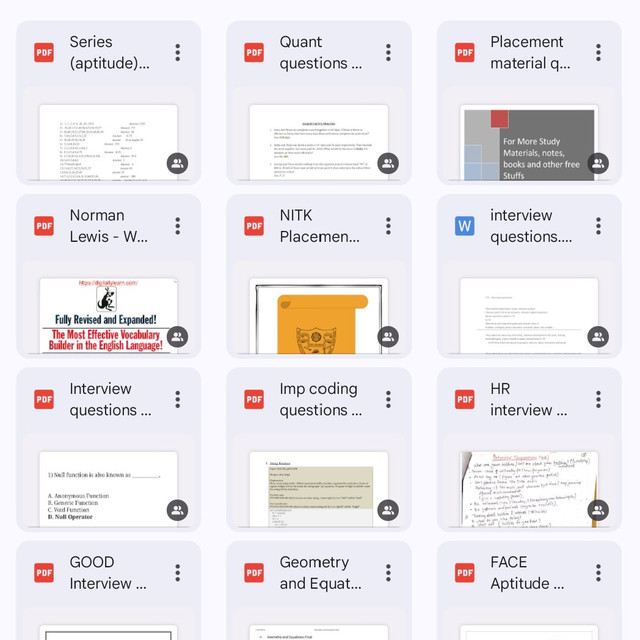
Successful Job Interview
Data Analytics Books Collection
Python Interview Resources
Java Programming Best Resources
Python Complete Notion Course with Projects
Data Engineering Interview Preparation Resources

Frequently asked questions
What is the best way to prepare for SQL interview questions?
If you are planning how to prepare for SQL interview questions, begin with the fundamentals — SELECT, WHERE, JOINs, GROUP BY and subqueries — and then move to window functions, CTEs and query optimisation. Practise writing queries on a real database every day, since most interviewers make you solve problems live rather than answer theory. In the final week, revise from quick notes and mock question sets so the frequently asked patterns stay fresh.
Where can I find reliable SQL interview questions and answers with explanations?
The most useful SQL interview questions and answers are the ones grouped by topic and difficulty, showing the table, the query and the expected output so you understand the logic behind each solution. You can build this from SQL practice platforms, curated question banks or well-organised notes. Avoid memorising blindly — interviewers in India often tweak the question slightly to check whether you truly understand the query.
What topics do SQL interview questions for freshers usually cover?
Most SQL interview questions for freshers stay close to the basics — primary key vs foreign key, types of JOINs, WHERE vs HAVING, GROUP BY, aggregate functions and simple subqueries. You will usually also get one or two live query-writing tasks based on an employees or orders table. If your fundamentals are clear and you can write a clean join and aggregation on the spot, you can handle most fresher-level rounds.
How are SQL interviews different for experienced candidates?
SQL interview questions for experienced professionals go beyond syntax into scenario-based query design, window functions, CTEs, indexing, query performance tuning and handling large datasets. Interviewers also expect you to explain how you used SQL in real projects, so keep examples of reports, pipelines or dashboards you have built ready. At the 3–5 year level, being asked to optimise a slow query is extremely common.
Which SQL topics are most commonly asked in data analyst interviews?
Typical SQL interview questions for data analysts combine technical querying with business scenarios — aggregating sales data, finding top N products, calculating month-over-month growth with window functions, handling NULLs and joining multiple tables. Expect follow-ups like "what insight would you draw from this result", because analysts are tested on interpretation as much as syntax. Practising on a sales or e-commerce style dataset prepares you well.
What do Python interview questions for freshers usually cover?
Most Python interview questions for freshers test fundamentals — data types, lists vs tuples, dictionaries, loops, functions, string manipulation and basic OOP concepts like classes and inheritance. Expect small coding tasks such as reversing a string, finding duplicates in a list or counting word frequency. Questions on mutable vs immutable objects and exception handling also appear very frequently at the fresher level.
What are the most commonly asked Python interview questions and answers?
The Python interview questions and answers that repeat across most interviews cover lists vs tuples, how dictionaries work internally, shallow vs deep copy, *args and **kwargs, list comprehensions and the four pillars of OOP. Preparing each of these with a short code example makes your answers far stronger. Since interviewers usually add a hands-on coding round, pair theory revision with daily practice.
Which OOPs concepts should I revise for Python interviews?
Most OOPs in Python interview questions revolve around the four pillars — encapsulation, abstraction, inheritance and polymorphism — along with constructors, method overriding, the self keyword, class vs instance variables and the use of super(). Interviewers frequently ask you to explain inheritance with a small code example, so practise writing one. The difference between abstraction and encapsulation is a very common follow-up.
How is Python tested in data engineering interviews?
Python interview questions for data engineers focus on handling data at scale — pandas and PySpark operations, processing large files efficiently with generators, writing ETL logic, error handling in pipelines and basic optimisation. You may be asked to design a pipeline that ingests, cleans and loads data, or to explain how you would handle millions of records. Combining these Python skills with strong SQL covers most data engineering rounds.
Do Python interviews get tougher for experienced candidates?
Yes. Python interview questions for experienced professionals go deeper into decorators, generators and iterators, context managers, the GIL, multithreading vs multiprocessing, memory management and writing production-quality code. You will normally be asked to connect these concepts to projects you have actually built. At senior levels, expect design discussions on structuring large codebases along with complex live coding.
How do I create a Power BI dashboard from scratch?
Learning how to create a Power BI dashboard follows a simple workflow: connect your data source in Power BI Desktop, clean and model it using Power Query, build your visuals, and publish the report to the Power BI Service. From there you can pin the key visuals to a dashboard for a one-glance view of your KPIs. Starting with a single-page sales or HR dataset is the easiest way to practise the end-to-end flow.
What are the best practices for Power BI dashboard design?
Good Power BI dashboard design begins with a clear purpose — decide the questions the viewer should answer within five seconds. Place the most important KPIs at the top, stick to a consistent colour theme, use slicers for interactivity and avoid overcrowding the page with visuals. Clean formatting, meaningful titles and a logical flow from summary to detail are what make a dashboard look professional.
How can I publish a Power BI dashboard online?
If you are working out how to publish a Power BI dashboard, open your report in Power BI Desktop, click Publish, sign in with your Power BI account and choose a workspace in the Power BI Service. Once published, you can pin visuals to a dashboard and share it within your organisation. Keep in mind that sharing with others or scheduling data refreshes typically requires a Power BI Pro licence.
What is a Power BI dashboard used for?
A Power BI dashboard is used for monitoring the health of a business at a glance — it brings the most important KPIs, such as revenue, sales targets, customer growth or operations metrics, onto a single page with live data. Managers use dashboards to track performance daily without digging through detailed reports, while analysts use them to present insights to stakeholders in a visual, easy-to-read format.
What is the difference between a Power BI dashboard and a report?
The main difference between a Power BI dashboard and a report is that a dashboard is a single page that pins together key visuals from one or more reports for a quick KPI view, while a report is a multi-page file built in Power BI Desktop with full interactivity such as slicers and cross-filtering. In short, a report is where you analyse in depth, and a dashboard is where you monitor highlights.