Testimonials
Services


AI Ad Prompt System (Images, Videos & UGC Ads)
Turn This AI Ad Workflow Into Your System
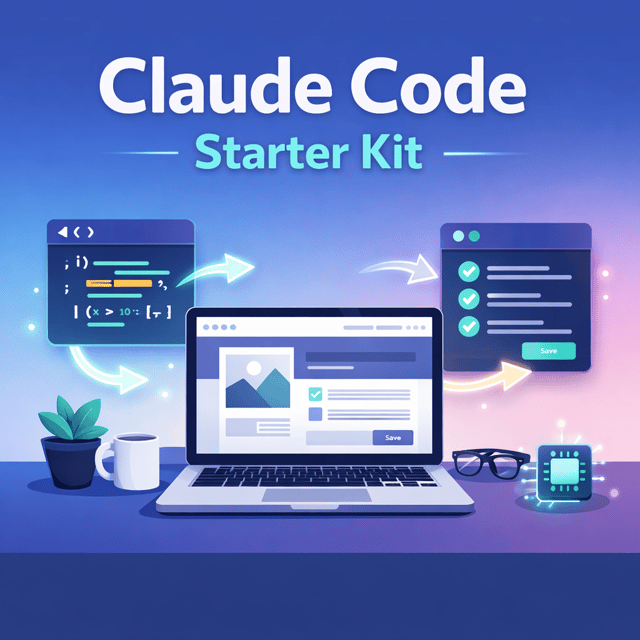
AI Business Reality Check (No BS)
AI Workflow / Automation Discovery Call
30 Human-Like SEO Prompts for Medium Writers
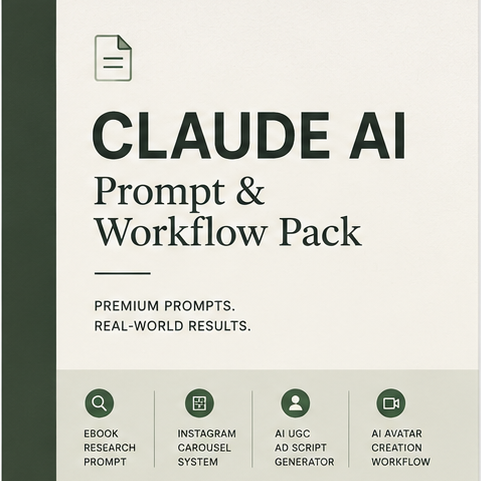
I’ll Build Your AI Ad Workflow For You
Build Your AI Ad Workflow (Live Deep Dive)
AI Construction Video Starter Kit (Free)
Ask Me Anything (Priority DM)
Build the System From This Article
About me
Frequently asked questions
What is AI automation, and how is it different from traditional automation?
Traditional automation follows fixed, rule-based steps — if this happens, do that. AI automation adds a layer where an AI model handles tasks that need judgement, like writing text, summarising documents, classifying emails, or answering questions. In practice, most real systems combine both: the workflow logic moves data between tools, while the AI handles the smart steps inside that flow.
How does workflow automation work?
A workflow runs on a simple pattern: a trigger starts the process (a form submission, a new email, a schedule), then a series of actions pass that data through apps, APIs, or AI models until the task is finished. Conditions and branches decide which path the data takes, and error handling decides what happens when something fails. Once built and activated, the workflow runs on its own, which is where the time savings come from.
What is the n8n workflow automation tool used for?
n8n is used to connect apps, APIs, and AI models so data moves between them automatically — things like capturing leads into a CRM, publishing content across platforms, generating reports, or running AI steps such as summarising and drafting. It is popular because you can add custom code, complex branching, and even self-host it, giving more control than most no-code automation tools. If a task repeats across two or more apps, it can usually be turned into an n8n workflow.
How to use n8n for workflow automation as a complete beginner?
Start with one small, repetitive task you actually do — for example, saving email attachments to a drive or posting content automatically. Pick a trigger, add nodes for each step, connect your accounts, and test with real sample data before activating. The biggest beginner mistake is attempting something complex on day one; rebuild one simple workflow end-to-end first, then add AI steps and branching once the basics make sense.
Where can I find ready-made n8n workflow automation templates?
n8n has a built-in template library covering common use cases like CRM updates, content publishing, and AI-powered summarising, and more are shared in the n8n community forum and public GitHub repositories. Templates can be imported directly onto your canvas, then you swap in your own credentials and adjust the nodes. They work best as learning patterns rather than finished systems, since every workflow needs tweaking to match your actual stack.
Is an n8n workflow automation course worth it, or can free tutorials teach you enough?
Free resources are enough to learn the interface and basic logic — the official docs plus one solid n8n workflow automation tutorial will get you started. A structured n8n workflow automation course pays off when you are building workflows for real work or clients and want guided, project-based practice instead of piecing random videos together. Many people learn fastest by building their own workflow while an experienced builder reviews the architecture and fixes mistakes with them live.
What is content automation using generative AI?
Content automation using generative AI means using AI models inside a pipeline to research, draft, repurpose, or publish content with minimal manual effort — for example, turning one article into social posts, generating drafts from a brief, or producing variations at scale. The AI handles generation while the workflow handles inputs, approvals, and publishing. A human review step is still important for accuracy, originality, and keeping the brand voice consistent.
Which AI content automation tools do you actually need to start?
You need three things: an automation platform to move data (n8n, Make, or Zapier), an AI model accessed via API for the writing and thinking steps, and a place where your content lives, like Google Sheets, Airtable, or your CMS. Everything else — schedulers, scrapers, analytics — can be added later when a real need appears. Starting with a minimal stack and one content type is far cheaper and easier to debug than stitching together five tools upfront.
How do I build an AI content automation system?
Map your current content process first, then mark which steps are repetitive enough to automate and which need human judgement. Build the pipeline in stages: an input (a brief, a keyword, a source), AI generation with clear prompts, a review checkpoint, and publishing. Launch with one content type on one channel, test it for a few weeks, and expand only after it runs reliably — trying to automate everything at once is the most common reason these systems break.
Should you hire an AI content automation agency or build the workflows yourself?
An agency makes sense if you want a fully hands-off system and have the budget, but you trade away control and pay significantly more. Building it yourself with a tool like n8n costs far less and gives you full control to fix and extend the system, at the cost of a learning curve. A practical middle path is building the core workflow yourself and using a coaching call or an architecture audit to review the design and debug whatever is breaking.
How to write Claude prompts that actually produce reliable output?
Give Claude four things every time: a clear role, enough context about the task, explicit constraints (tone, length, what to avoid), and the exact output format you want. Adding one or two examples of good output improves consistency dramatically, especially for repetitive tasks. Then test the same prompt against different real inputs and refine where it drifts — prompts meant for automation need to be far more explicit than the casual prompts people type in chat.
What is Claude prompt engineering?
Claude prompt engineering is the practice of structuring instructions so Claude produces consistent, high-quality responses — assigning roles, ordering context properly, using examples, defining output formats, and managing long documents effectively. It matters most in automations, where a prompt runs repeatedly without anyone checking each output, so a vague instruction quickly turns into a broken workflow. Good prompt engineering is the difference between "it usually works" and "it works every time."
What is Claude prompt caching, and does it reduce costs?
Prompt caching lets Claude reuse the parts of a prompt that stay the same across requests — such as long system instructions or reference documents — instead of reprocessing them every time. This cuts both latency and input token costs, which matters a lot when the same prompt runs hundreds of times inside an automation. The key is structuring the prompt so the static parts come first and only the variable parts are appended per request.
What is Claude's prompt limit, and why does long text get cut off?
Claude's prompt limit is its context window — the maximum amount of text, measured in tokens, that the model can process in a single request — and the exact size depends on which model and plan you are using. Output has a separate maximum length, which is why very long answers can appear truncated. If your inputs regularly exceed the limit, the fix is to chunk and summarise the content, or use a retrieval-based (RAG) setup so the model only receives the relevant portions.
Are there good Claude prompts for coding and building small apps?
Yes — the effective ones follow a pattern: assign Claude a developer role, state the exact stack, describe each feature and the data involved, and ask for a step-by-step plan before any code. Curated packs exist for specific jobs like mini web apps, Claude Code workflows, and debugging, or you can build your own by including examples of the output style you want. The more precisely you describe the app's behaviour and constraints, the less back-and-forth fixing you will do.