Testimonials
Services
Frequently asked questions
How to create a productivity dashboard in Excel?
Start by deciding what you want to measure — daily tasks, habits, study hours, or deadlines. Create one sheet for raw data entry, then use formulas like COUNTIF and SUMIFS to summarise weekly and monthly progress. Apply conditional formatting to highlight streaks or missed days, and finish with a couple of charts for goal completion. Keep everything on one screen so you actually review it daily instead of abandoning it after a week.
Is it better to use a productivity dashboard template or build one from scratch?
A productivity dashboard template is the faster option if you're new to tracking — it saves hours of setup and shows you what good structure looks like. Building from scratch makes sense once you know exactly which metrics matter to you. A practical middle path is to start with a template and customise the categories, metrics, and views until it matches your routine. The best dashboard is the one you'll open every day, so prioritise simplicity over features.
What are productivity metrics?
Productivity metrics are measurable indicators that show whether your effort is actually converting into progress. Common examples include tasks completed per day, deep-focus hours, habit consistency rate, and percentage of weekly goals achieved. Good metrics are few in number, easy to track, and directly tied to a goal. Tracking two or three consistently gives far more clarity than maintaining an elaborate system you'll abandon within weeks.
How to make a habit tracker?
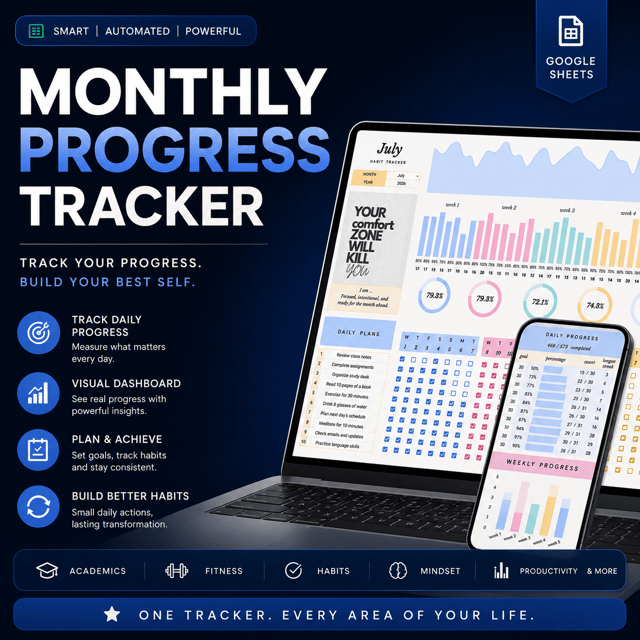
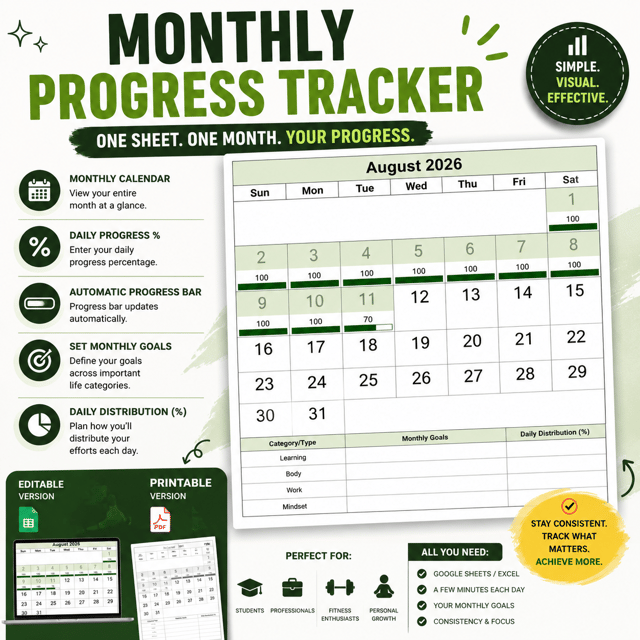
Pick a maximum of four to six habits you want to build, choose your medium — a notebook, spreadsheet, Notion page, or app — and create a grid with habits on one axis and days on the other. Tick off each habit daily and review weekly to spot patterns. If setup feels overwhelming, start with a pre-built habit tracker template and adjust it to your routine. The tracker only works if checking it becomes part of your day.
How to use a habit tracker in Notion?
Create a database with each entry as a day, add checkbox properties for individual habits, and use a formula to calculate your completion percentage. A monthly view lets you see streaks at a glance. Keep habits as simple yes-or-no checkboxes rather than long notes — quick ticking is what sustains the habit. Review the database every Sunday to see which habits are slipping and adjust from there.
How do I set up a habit tracker in Excel?
List your habits as rows and the days of the month as columns, then mark each cell with an X or a dropdown. Use conditional formatting so completed cells fill with colour, creating a visual chain. Add a total row to count how many days you hit each habit, plus a monthly consistency percentage. Keep the file in the cloud so you can update it from your phone — a habit tracker in Excel only works if logging takes under a minute.
What is a habit tracker app?
A habit tracker app is a mobile or desktop tool that lets you log daily habits, maintain streaks, and view progress graphs automatically. Compared with spreadsheets or paper, apps handle the calculations for you and send reminders, though some people find constant notifications distracting. If you're unsure whether tracking will stick, start with a simple spreadsheet or printable tracker and move to an app or dashboard once the routine feels natural.
What is a bullet journal habit tracker?
A bullet journal habit tracker is a hand-drawn spread — usually habits listed down one side and dates across the top — where you colour in a box or dot for each day you follow through. People like it because filling cells manually builds awareness, and the visual streaks motivate consistency. The downside is that calculations like monthly consistency rates must be judged by eye, so many people eventually shift to a digital tracker that automates the review.
How to use LinkedIn for personal branding?
Start with your profile: a clear headline stating who you help, an About section written around your audience, and a professional photo. Then post consistently — two to four times a week — about what you're learning, building, or working on, and spend time commenting thoughtfully on posts in your field. In India especially, recruiters and clients actively search LinkedIn, so a complete, active profile often matters as much as a résumé. Consistency over 90 days beats one viral post.
What is personal branding?
Personal branding is the practice of deliberately shaping how people perceive your skills, values, and expertise — essentially, what comes to mind when someone hears your name. For students and working professionals it includes your LinkedIn presence, portfolio, content, and how you present your work. A strong personal brand means opportunities like internships, clients, and roles start coming to you because people already trust your expertise before ever meeting you.
How long does it take to build a LinkedIn personal brand?
Realistically, three to six months of consistent effort before you see meaningful traction in profile views, inbound messages, and engagement. The first 30 days usually feel slow while the algorithm and your network adjust to your new activity. Posting on a fixed schedule, engaging with others daily, and writing about one clear niche speeds things up considerably. Most people quit around week three, which is exactly why those who persist stand out.
How do I create a LinkedIn personal branding strategy?
Define three things first: your niche, the audience you want to reach — recruiters, clients, or peers — and two or three content pillars you can write about repeatedly. Decide on a posting frequency you can actually sustain; twice a week every week beats daily posting that dies in a fortnight. Review monthly which posts started conversations and adjust. A LinkedIn personal branding strategy works when it's boring and repeatable, not when it depends on motivation.
What are some good LinkedIn personal branding examples?
The strongest LinkedIn personal branding examples usually follow one of a few patterns: a student documenting projects and internships while job hunting, a working professional sharing lessons from their domain, or a freelancer breaking down real client work. What they share is specificity — a clear niche, a recognisable voice, and posts that teach or show genuine work instead of generic motivational quotes. Pick one or two creators in your field and study their structure, not just their topics.
What do LinkedIn personal branding services include?
Most LinkedIn personal branding services cover profile optimisation — headline, About section, experience framing — plus a content plan or ghostwritten posts and guidance on engagement and outreach. Pricing in India varies widely depending on whether it's a one-time revamp or ongoing support. If you'd rather work with a LinkedIn personal branding consultant, expect personalised 1:1 guidance on positioning and content instead of a standardised package. The right choice depends on whether you need done-for-you execution or help building your own system.
Is a LinkedIn personal branding course worth it?
It depends on where you're stuck. A LinkedIn personal branding course works well for learning frameworks — positioning, content pillars, writing posts — at a relatively low cost. But most courses rarely give feedback on your actual profile and posts, which is where people go wrong. If you already know the basics and need accountability plus personalised correction, working directly with a mentor or consultant usually beats another recorded program. If you're a complete beginner, start with free content and invest in structured help once you know what you need.