Testimonials
Services
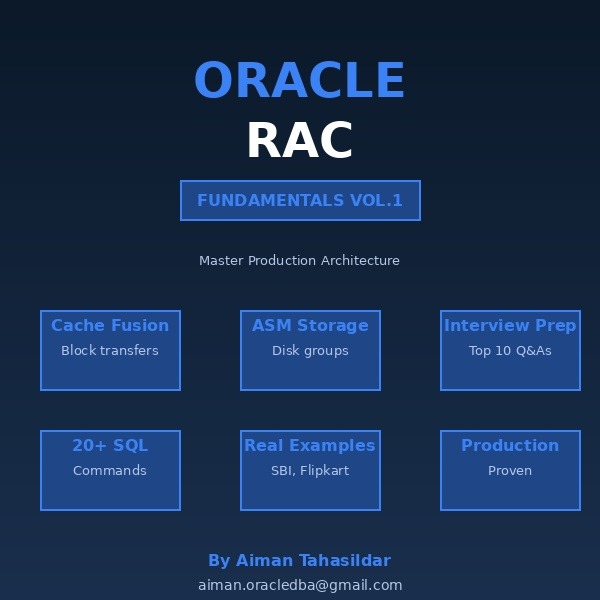
ORACLE RAC FUNDAMENTALS VOLUME 1
ORACLE PERFORMANCE TUNING - VOLUME 2
ORACLE RAC VOL-1 & VOL-2
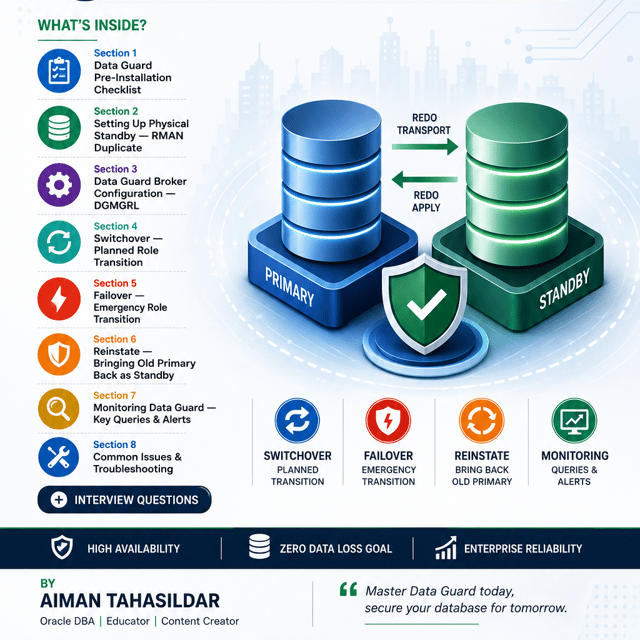
ORACLE DATA GUARD VOL 1 & 2
ORACLE PERFORMANCE TUNING - VOLUME 1
ORACLE BACKUP & RECOVERY VOL-1 & 2
ORACLE PERFORMANCE TUNING - VOl 1 & 2
About me
Frequently asked questions
How to prepare for an Oracle DBA interview?
Start with the fundamentals interviewers always test — Oracle architecture (instance vs database, SGA/PGA, background processes), SQL, and backup & recovery with RMAN — then layer on performance tuning, Data Guard, and RAC basics. After theory, shift to scenarios, because most Oracle DBA interviews today revolve around real production issues such as a failed backup, a slow batch job, or an archive destination hitting 100%. Revising common Oracle DBA interview questions and answers, writing down the troubleshooting steps you would actually run, and doing at least one mock interview exposes gaps far faster than re-reading theory.
Which topics come up in Oracle DBA interview questions for freshers?
Fresher-level interviews usually stay within fundamentals: Oracle architecture (SGA, PGA, background processes), tablespaces and datafiles, core SQL such as joins and subqueries, differences like truncate vs delete, and basic RMAN commands. Interviewers know you may not have production exposure, so they check how clearly you explain concepts rather than how many incidents you have handled. Being honest about what you have only read about but never executed works far better than overstating experience.
How are Oracle DBA interview questions for 3 years of experience different from fresher questions?
Once you mention around three years of experience, interviewers stop asking definitions and start asking troubleshooting stories — how you recovered a dropped table, resolved a blocking session, analysed an AWR report during a slowdown, applied a patch with minimal downtime, or fixed an archive gap on a standby. They also drill deeper into your actual project work, so prepare four or five real incidents in a problem–action–result format. At this level, your practical decision-making is what gets scored, not textbook recall.
What are the most common Oracle performance tuning interview questions and answers?
Frequently repeated ones include how to read an AWR report, AWR vs ASH, important wait events like db file sequential read and log file sync, stale optimizer statistics causing plan changes, when to add or rebuild an index, latch vs lock, and how to tune a single slow SQL statement step by step. For experienced candidates these come wrapped in scenarios — "the database was fine yesterday and is slow today, what do you check first?" — so practise answering in a structured diagnostic order instead of memorising one-line answers.
What is performance tuning in Oracle with examples?
It is the process of identifying and removing bottlenecks so the database meets response-time targets without simply adding hardware. Examples: adding an index so a query stops doing a full table scan and drops from 40 seconds to under a second; gathering fresh optimizer statistics so the plan stops flipping to a bad one; resizing the buffer cache or addressing log file sync waits to cut overall latency. Every serious tuning exercise starts with an AWR report, because it shows exactly where the time is being spent.
How to do performance tuning in Oracle?
Work in a fixed order: capture an AWR or ASH report for the slow window, identify the top wait events and the SQLs consuming the most time, then tune those statements first — execution plans, missing indexes, stale statistics, SQL profiles. After SQL-level tuning, look at instance settings such as SGA and PGA sizing and redo log configuration, and finally contention issues like hot blocks or latch contention. Always record before-and-after timings, because tuning without measurement is guesswork.
Is an Oracle performance tuning certification worth doing?
Oracle no longer offers a standalone performance tuning exam — the dedicated 11g-era tuning certification was retired, and tuning skills are now covered inside the broader OCP DBA track. A certification still helps your resume clear HR filters, but tuning ability is judged almost entirely through scenario questions and your real project work. If your hands-on AWR and SQL tuning skills are solid, practising more real scenarios adds more value than chasing an extra certificate.
What is Oracle Data Guard used for?
Oracle Data Guard maintains one or more standby copies of a production database by shipping redo from the primary and applying it on the standby. It is used for high availability and disaster recovery — if the primary fails, you fail over to the standby with minimal or zero data loss depending on the protection mode. It also enables planned maintenance with almost no downtime through switchover, and with Active Data Guard the standby can be opened read-only to offload reporting queries from production.
How does Oracle Data Guard architecture work?
The primary database generates redo, and log transport services ship it to the standby either synchronously (SYNC) or asynchronously (ASYNC) depending on the protection mode. On the standby side, the RFS process receives that redo into standby redo logs, and managed recovery (MRP) applies it to the standby data files. A physical standby stays block-for-block identical to the primary, while a logical standby applies converted SQL, and the Data Guard Broker can sit on top of both to automate management and monitoring.
How to configure Oracle Data Guard 19c step by step?
The standard sequence is: enable archivelog mode and force logging on the primary, create standby redo logs, set up listeners and tnsnames entries on both hosts, configure the key parameters (db_unique_name, log_archive_config, log_archive_dest_2, fal_server), then create the standby using an RMAN duplicate from the active database and start managed recovery. Once redo is flowing cleanly, register both databases in a Data Guard Broker configuration and verify the setup through DGMGRL. Always finish by testing an actual switchover — an untested Data Guard setup is not a real disaster recovery solution.
How to perform a switchover in Oracle Data Guard?
First confirm the standby has applied all redo — check transport and apply lag, and make sure there are no archive gaps, because switching over on a lagging standby can cause data loss or a stuck transition. With the Data Guard Broker configured, a switchover is a single command — "switchover to <standby_name>" from DGMGRL — which flips both databases in the correct order automatically. Afterwards, verify the new primary is open for users, the old primary is now recovering as a standby, and application connection strings point to the right database.
What is the Oracle Data Guard Broker?
The broker is a management layer that sits on top of a Data Guard configuration and treats the primary and standby as a single unit instead of separate databases. Through DGMGRL or Enterprise Manager you can monitor the health of the entire configuration, run switchover and failover with single commands, and enable Fast-Start Failover so the standby is promoted automatically if the primary is lost. It also flags configuration problems early, which is why most production Data Guard environments run with the broker enabled.
Oracle Data Guard vs GoldenGate: which one should I use?
They solve different problems. Data Guard provides high availability and disaster recovery between Oracle databases — it ships redo at the block level, so the standby must be an Oracle database on a compatible release and platform. GoldenGate is logical, row-level replication that works across different database types and platforms, supports bidirectional replication, and is typically used for zero-downtime migrations, live reporting copies, and feeding downstream systems. Many enterprises run both together — Data Guard for DR, GoldenGate for replication beyond DR.
What are the top Oracle Data Guard interview questions and answers?
The classics are the three protection modes (Maximum Performance, Maximum Availability, Maximum Protection) and when each is used, switchover vs failover, physical vs logical standby, the role of standby redo logs, how MRP applies redo, resolving archive gaps, what Active Data Guard adds, and how the Broker with Fast-Start Failover works. Scenario questions are equally common — a lagging standby, a stuck switchover, or losing the primary unexpectedly — so prepare both the concepts and the exact commands you would run.