Testimonials
Services
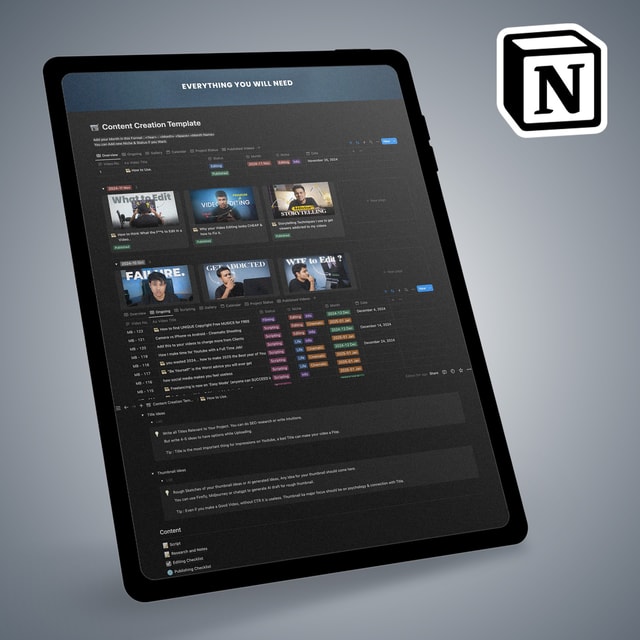
Content Creation Master Notion Template
1:1 Video Editing Consultancy Call
1:1 Video Editing Consultancy Call (60 Mins)
1:1 Video Editing Advice
0 to 100 Content Creation Consultancy + Strategy
Priority DM
About me
Frequently asked questions
What is video editing and why is it important?
Video editing is the process of cutting, arranging, and enhancing raw footage into a polished final video using software like Adobe Premiere Pro. It is important because editing decides whether viewers stay or scroll away — pacing, transitions, sound design, and storytelling directly affect watch time on YouTube and Instagram. With India's short-form video boom, skilled editors are in high demand because good editing is what separates viral content from ignored content.
What is a freelance video editor?
A freelance video editor is a self-employed professional who edits videos for multiple clients — YouTubers, brands, agencies, and podcasters — instead of working as a full-time employee. They are usually paid per project or per video, can work from home, and typically start by editing YouTube videos, reels, or ads. Many editors in India begin freelancing alongside studies or a job and gradually scale it into a full-time income.
How to start freelance video editing as a beginner with no experience?
Pick one editing tool and learn it deeply (Adobe Premiere Pro is the industry standard for client work), then practice by recreating edits from creators you admire. Build a small portfolio of 3–5 sample videos — even self-made projects count — before approaching clients, start with smaller gigs to collect testimonials, and avoid the classic beginner mistakes of underpricing forever or hopping between too many tools. Learning directly from a working editor, through a structured roadmap or a 1:1 guidance call with someone like Abhay PS Rajawat (6+ years of editing experience, 100K+ YouTube subscribers), can save you months of trial and error.
How to get freelance video editing jobs in India?
Most beginners land their first jobs through three routes: freelance platforms like Upwork and Fiverr, direct pitching to small YouTubers and Instagram creators who need consistent editors, and referrals from early clients. In India, demand is strong for editors who can deliver YouTube long-form videos, reels, and shorts on a fixed schedule. A portfolio link, clear pricing, and fast turnaround matter far more than a degree — clients decide based on sample work.
Is freelance video editing worth it?
Yes, if you treat it as a skill-based business rather than a quick side hustle. Editing is a recurring-need service — creators publish every week, so good editors get steady repeat work and can grow from small gigs to a full-time income in India with just 2–3 regular clients. The honest downside is the 6–12 months it takes to get genuinely good and the deadline pressure, so it is worth it mainly if you enjoy the craft itself.
Can I do freelance video editing work from home?
Absolutely — video editing is one of the most work-from-home-friendly careers because everything happens on your computer: footage arrives via cloud storage, you edit on your laptop or PC, and you deliver the final file online. All you need is a reasonably capable machine, editing software, stable internet, and clear communication with clients. Editors across India serve both Indian and international clients entirely remotely.
What is a video editing course and do I need one to become an editor?
A video editing course is a structured program that teaches editing software, cuts, transitions, colour grading, sound design, and often client workflow, instead of leaving you to piece together random tutorials. You don't strictly need one — many editors are self-taught — but a structured course or mentor-led roadmap speeds things up because you learn skills in the right order. Before paying for any course, check that it covers real, client-style projects rather than just software buttons.
How to do video editing on mobile as a beginner?
Start with free mobile apps like CapCut, VN, or InShot, which support trimming, captions, transitions, and basic colour correction on a phone. Mobile editing is perfect for reels and shorts, but for long YouTube videos or client work you will eventually need a laptop running desktop software like Premiere Pro, since mobile apps limit precise control and export quality. Treat mobile editing as your entry point to learn storytelling, then upgrade.
How to do video editing on laptop as a beginner?
Install one desktop editor and stick with it — Adobe Premiere Pro is the most in-demand for freelance work, while DaVinci Resolve's free version is a solid option on a budget laptop. Learn in this order: cutting on the timeline, adding text and music, transitions, then colour and audio cleanup, practising on existing footage instead of waiting for perfect footage. Also make sure your laptop meets the software's system requirements so it doesn't lag mid-project.
What is Adobe Premiere Pro used for?
Premiere Pro is Adobe's professional video editing software used to cut and assemble footage, add effects, titles, and music, colour grade, and export the final video from raw clips. It is the standard tool for YouTube videos, ads, films, and brand content, and it is the software most clients expect when hiring a freelance editor. Editors usually pair it with Photoshop for thumbnails and After Effects for motion graphics.
What are the Adobe Premiere Pro system requirements?
On Windows, Premiere Pro needs a 64-bit Windows 10 or 11 system, a multi-core Intel or AMD processor, at least 8 GB of RAM (16 GB strongly recommended for smooth 1080p/4K editing), a DirectX 12-compatible GPU, and an SSD for fast playback and exports. On a low-spec machine editing becomes frustrating, so if you plan to take client work, prioritise RAM and an SSD over other upgrades.
What is the Adobe Premiere Pro price in India?
Premiere Pro is subscription-only in India through Adobe Creative Cloud, with monthly and annual plans for the single app, and an All Apps plan if you also need Photoshop and After Effects — expect roughly ₹1,500–₹1,700 per month on the standard individual plan, with a 7-day free trial available. There is no one-time lifetime license, so factor the subscription into your freelance budget; most beginners recover the cost from their first one or two client projects.
How to download Adobe Premiere Pro for free?
The only safe and legal way is Adobe's official free trial, which gives full access for 7 days. There is no official free version and no genuine "Premiere Pro APK" — cracked or modded downloads are pirated, often carry malware, and can compromise your system and client footage. If you need a permanently free option instead, the free version of DaVinci Resolve is the most capable alternative.
What is the difference between Adobe Premiere Pro and After Effects?
Premiere Pro is for editing — cutting clips, shaping the story, syncing audio, and exporting the final video — while After Effects is for motion graphics and visual effects like animated titles, intros, transitions, and compositing. If your goal is freelance video editing, learn Premiere Pro first because every client project needs an editor, then add After Effects later to charge more for animation-heavy work. Professional editors working with YouTubers typically use both together.