Testimonials
Services
Any simple quick technical/Non technical question?

One to one call ( non - technical )
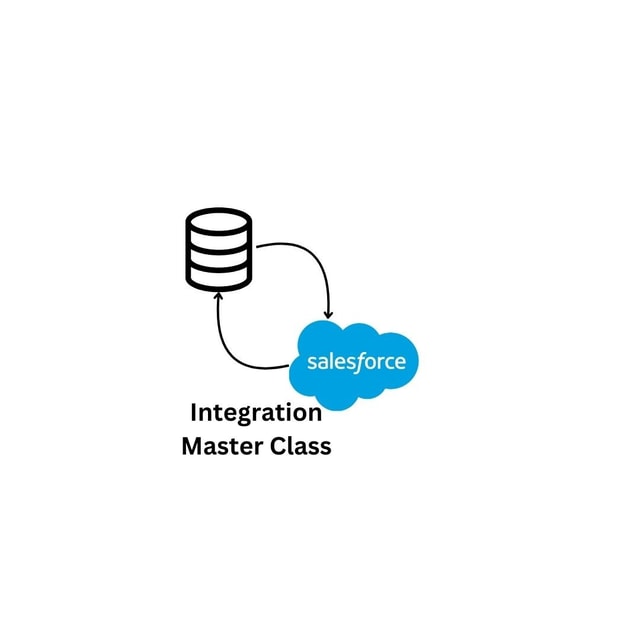
Salesforce integration Master Class( Only Rest )
About me
- Salesforce in 5 Minutes offers impactful, personalized mentorship that enhances interview readiness and builds confidence through insightful feedback and knowledgeable guidance.
 AI-generated based on testimonials
Frequently asked questions
What are lightning web components in Salesforce?
Lightning web components in Salesforce are the platform's modern framework for building custom user interfaces using standard HTML, JavaScript, and CSS instead of Aura's proprietary model. Because browsers run these web standards natively, LWCs are faster and lighter than older Aura components. They are used to build custom record pages, standalone apps, and components embedded in flows, and they now dominate new UI development work, which is why they carry so much weight in developer interviews.
How do I learn lightning web components basics as a complete beginner?
Lightning web components basics become far easier if you first brush up on ES6 JavaScript (arrow functions, classes, destructuring, promises) since LWC uses it directly. Then learn the component folder structure, data binding, decorators like @api and @wire, lifecycle hooks such as connectedCallback and renderedCallback, and communication between parent and child components. Set up a free Developer Edition org with VS Code and build small components hands-on before moving on to Apex calls and Lightning Data Service.
What lightning web components interview questions are asked for experienced Salesforce developers?
Lightning web components interview questions for experienced roles usually focus on lifecycle hooks and their execution order, parent-to-child and child-to-child communication using @api, custom events, and Lightning Message Service, the difference between @wire and imperative Apex calls, caching behaviour and refreshApex, Lightning Data Service, lightning-datatable features like inline editing and pagination, error handling, and Jest testing. Expect scenario-based follow-ups, so be ready to explain the reasoning behind your approach rather than only naming the concept.
How to debug lightning web components?
To debug lightning web components, first enable Debug Mode in Setup so the code is not minified in the browser. Then use Chrome DevTools for console logs and breakpoints, inspect the Network tab to see Apex callouts and their responses, and handle errors properly in @wire and Apex callbacks. For deeper issues, use the VS Code debugger against your org and write Jest tests to isolate the failing logic.
How to find lightning web components in Salesforce?
The quickest way to find lightning web components in Salesforce is to go to Setup and search "Lightning Components" in Quick Find, which lists the component bundles deployed in the org. You can also browse them in VS Code through the Org Browser under LightningComponentBundle, or query the same metadata object through the Tooling API when you need names, namespaces, or dependency details.
How to query lightning web components in Salesforce?
Lightning web components are metadata, not records, so standard object SOQL will not return them. You can query lightning web components in Salesforce using the Tooling API with a query like SELECT MasterLabel, DeveloperName, NamespacePrefix FROM LightningComponentBundle — run it from the Developer Console with "Use Tooling API" checked, Workbench, or a REST client — or simply retrieve the bundles using Salesforce CLI or VS Code.
Is the lightning web components specialist superbadge useful for interviews?
Yes, the lightning web components specialist superbadge is one of the most respected hands-on credentials because it covers real scenarios such as Lightning Data Service, wire adapters, events, Lightning Message Service, component composition, and Jest testing — the same areas interviews probe for experienced roles. Complete it after your basics are clear, and be ready to explain why you made each choice, since interviewers frequently dig into superbadge-style scenarios.
Which lightning web components developer guide should I follow to learn step by step?
Follow the official lightning web components developer guide on Salesforce Help along with the lwc.dev documentation and its playground. A practical path is core concepts and reactivity, base components, working with data through Apex and Lightning Data Service, events and communication, and finally testing with Jest. Pair every section with the LWC Recipes sample components so you learn from working code, not just theory.
Which lightning web components extension do I need in VS Code?
The lightning web components extension support you need comes bundled in the official Salesforce Extension Pack for VS Code. It gives you LWC and Apex syntax completion, the Org Browser to pull metadata, deploy and retrieve commands, and integrated debugging. Install the pack, connect your org through Salesforce CLI, and you can create, preview, and deploy LWCs without switching tools.
Where can I find a lightning web components library of ready-made components?
The official lightning web components library is the set of Lightning Base Components — such as lightning-button, lightning-input, and lightning-datatable — documented in the Salesforce Component Library. Always check this library before writing custom code, since base components are performant, secure, and maintained by Salesforce. For open-source examples and utilities, lwc.dev and the LWC Recipes repository are good starting points.